Hello! Welcome to your next lesson on the fundamentals of predictive analytics.
In our previous lesson, we established the crucial first step in any predictive project: identifying whether you're solving a regression, classification, or clustering problem. This decision dictates the entire path forward.
Today, we're taking the next logical step in the predictive modeling workflow: data preparation. Raw data is rarely ready for modeling. It often contains gaps, errors, or inconsistencies. One of the most common and critical issues is missing data. Many predictive algorithms will fail or produce inaccurate results if they encounter null values.
This lesson will focus on how to handle this challenge. Your learning outcome is to prepare data for modeling by handling missing values with the Imputation tool. We will explore what the Imputation tool does, how to configure its various options, and the strategic implications of choosing one imputation method over another.
1. The Problem with Missing Data
Before we jump into the solution, let's be clear about the problem. When a dataset has empty or null values in its columns, it can cause several issues for predictive modeling:
- Algorithm Failure: Many predictive models, such as linear or logistic regression, are based on mathematical equations that simply cannot be computed with missing values. Running a workflow with nulls might cause the tool to error.
- Biased Results: If you simply filter out all rows with missing data, you might be throwing away a significant portion of your dataset. Worse, the records with missing data might not be random. For example, if only your least-satisfied customers are failing to fill out a "satisfaction score," removing them would artificially inflate the satisfaction scores in your model's training data, leading to a biased and overly optimistic model.
Therefore, we need a strategy to intelligently fill in, or "impute," these missing values.
2. Introducing the Imputation Tool
In Alteryx, the primary tool for this task is the Imputation tool, found in the "Preparation" tool palette. It is specifically designed to replace nulls (or other specified values) in numeric fields.
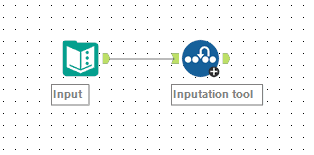
The tool is straightforward but powerful. To understand its configuration options, let's consult the official Alteryx documentation.
Imputation Tool - Alteryx Help
The Alteryx Help page for the Imputation tool provides a concise and definitive overview of its configuration settings. Reading this will familiarize you with the tool's interface and terminology.
Please read the section titled 'Configure the Tool'. Focus on understanding the purpose of each of the five configuration settings.
As you just read, the core of the tool lies in choosing a replacement method. Let's break down the main options for the "Replace with value" setting:
- User specified value: Replaces nulls with a constant value you provide, like 0. This is simple but can significantly alter the statistical properties of your data (like the mean and standard deviation).
- Average: Replaces nulls with the mean of the non-missing values in that column. This preserves the overall mean of the column but reduces its variance.
- Median: Replaces nulls with the median value. This is generally more robust to outliers than using the average, making it a safer choice for skewed data.
- Mode: Replaces nulls with the most frequently occurring value.
3. Imputation in Action: A Practical Demonstration
Theory is helpful, but seeing the tool in action is the best way to learn. The following video provides a clear, step-by-step walkthrough of using the Imputation tool with several of the methods we've just discussed.
Alteryx Advanced Training: 2-Hour Expert Course on Data Analysis using Alteryx
This segment from a course by Simon Sez IT demonstrates how to use the Imputation tool to handle nulls in a sample dataset.
Watch the video from 00:36:37 to 00:41:52. Pay close attention to: How to select the fields for imputation. The configuration for replacing nulls with a user-specified value (zero). How the configuration changes to use derived values like Average, Median, and Mode. The discussion of the pros and cons of using these derived values.
4. Choosing the Right Imputation Strategy
The video demonstrated how to use the different methods, but when should you use each one? The choice is not just technical; it's strategic and depends on your data and your goals.
| Method | Best For... | Pros | Cons |
|---|---|---|---|
| User-Specified Value (e.g., 0) | When the replacement value has a logical business meaning (e.g., 0 for "no sales"). | Simple, transparent, and fast. | Can severely skew the distribution and statistics (mean, variance) of the field. |
| Average | Normally distributed data (bell curve) without significant outliers. | Preserves the mean of the dataset. | Sensitive to outliers; reduces the natural variance of the data. |
| Median | Skewed data or data with outliers. | Robust against outliers. | Reduces the natural variance of the data; may not be an actual observed value. |
| Mode | Categorical data represented numerically, or when a single value is overwhelmingly common. | Simple and guarantees the imputed value is a frequently occurring one. | Can create a large spike at the modal value; less useful for continuous data. |
Tracking Your Changes
The Imputation tool offers two very useful optional settings for keeping track of your changes:
- Include imputed value indicator field: If you check this, Alteryx adds a new column (e.g.,
FieldName_Indicator) for each imputed field. This column contains a1if the value in that row was imputed and a0otherwise. This is incredibly valuable because sometimes the fact that a value was missing is a predictive signal in itself. You can use this indicator field as another feature for your model. - Output imputed values as a separate field: This keeps your original column untouched and creates a new column (e.g.,
FieldName_ImputedValue) with the imputed values. This is great for quality control, allowing you to easily compare the before-and-after states of your data.
5. What About Non-Numeric Fields?
You may have noticed that the Imputation tool only works on numeric data. What do you do if you have missing values in a String field, like a "Customer Segment" column?
You cannot calculate the average or median of text. In this common scenario, you would use a Formula tool. A simple conditional expression can solve the problem:
IF IsNull([YourStringField]) THEN "Unknown" ELSE [YourStringField] ENDIF
This expression checks each row. If the string field is null, it replaces it with the word "Unknown"; otherwise, it keeps the original value. This treats the missing values as their own distinct category, which a predictive model can then interpret.
Conclusion
You have now mastered a fundamental data preparation technique. Ensuring your dataset is complete and free of nulls is a non-negotiable step before training a predictive model.
Key Takeaways:
- Missing data can cause predictive models to fail or produce biased results.
- The Imputation tool is the primary Alteryx tool for handling missing values in numeric fields.
- You can replace nulls with a fixed value (like 0) or a statistically derived value (average, median, or mode).
- The choice of method depends on the distribution of your data; the median is often a safe default for skewed data.
- Using indicator fields is a best practice, as it preserves the information that a value was originally missing.
- For non-numeric fields, use the Formula tool to replace nulls with a designated category like "Unknown".
Preview of the Next Lesson:
With our data now structurally complete, we can move on to other preparation tasks. Some predictive algorithms are sensitive to the scale and range of different numeric inputs. In the next lesson, we will explore "Apply data cleansing and transformation techniques, such as feature scaling." Following that, we'll learn how to use the Create Samples tool to properly split our data into training, validation, and testing sets—a crucial step for building a model that generalizes well to new data.