Hello! Let's dive into your next lesson.
In our last session, we established the fundamental differences between arrays and pointers, clarifying that an array name is a compile-time label for a block of memory, not a variable like a pointer. We saw how operators like sizeof and & expose these differences.
Today, we'll apply this understanding to one of the most common and insightful C interview questions: the distinction between initializing a character array versus a character pointer with a string literal. Getting this right demonstrates a solid grasp of C's memory model, storage, and mutability.
Your learning outcome for this lesson is to explain the difference between char arr[] = "string" and char *p = "string" in terms of memory location and mutability.
The Two Syntaxes: A Tale of Two Strings
At a glance, these two lines of code might seem to do the same thing, but their implications for memory and modification are profoundly different.
char arr[] = "hello";// The array initialization syntaxchar *p = "hello";// The pointer initialization syntax
Let's break down each one.
Case 1: char arr[] = "hello"; — The Writable Copy
When you use this syntax, you are doing two things:
- Declaring an array of characters named
arr. - Initializing this array with the contents of the string literal
"hello".
The C standard specifies that this initialization is essentially a shorthand for creating an array and copying the characters of the literal into it, including the null terminator.
char arr[] = {'h', 'e', 'l', 'l', 'o', '\0'};
Memory Location and Mutability
- Memory Location: If
arris a local variable, memory for the array (6 bytes in this case) is allocated on the stack. The string literal"hello"itself exists in a read-only section of memory, but its content is copied to the stack wherearrresides. Ifarrwere a global orstaticvariable, it would be allocated in the program's read-write data segment (.data). - Mutability: Because
arris an array that owns its own writable memory (on the stack or in.data), its contents are modifiable.
Let's see this in a code example:
#include <stdio.h>
#include <string.h>

int main(void) {
    char arr[] = "hello";

    printf("Original string: %s\n", arr);

    // This is valid because 'arr' is a writable copy on the stack.
    arr[0] = 'j';
    printf("Modified string: %s\n", arr);

    // However, 'arr' itself is an array name, not a modifiable pointer.
    // arr++; // Compile-time error: expression must be a modifiable lvalue

    // sizeof confirms 'arr' is an array of 6 bytes.
    printf("sizeof(arr) = %zu\n", sizeof(arr)); // Output: 6

    return 0;
}
To reinforce this, please read the following material which lays out this behavior clearly.
The article 'char str1[] = "hello world"; vs char *str2 = "hello world";' provides an excellent explanation of the array initialization case. It details how the memory is allocated and why the contents are mutable.
Please read the section titled 'char str1[] = “hello world”;'. Focus on the key points: the array is allocated on the stack (for local variables), the literal's content is copied, and the resulting array is mutable.
Case 2: char *p = "hello"; — The Pointer to Immutable Data
This syntax is fundamentally different. You are:
- Declaring a pointer-to-character named
p. - Initializing this pointer to hold the memory address of the first character of the string literal
"hello".
Memory Location and Mutability
- Memory Location:
- The pointer
pis a variable that is allocated on the stack (if local). It stores a memory address. Its size is the size of a pointer on your system (e.g., 8 bytes on a 64-bit architecture). - The string literal
"hello"is stored in a read-only segment of your program's memory (often called.rodata).
- The pointer
- Mutability: This is the critical difference. Since
ppoints to a location in read-only memory, attempting to modify the string through the pointer is undefined behavior (UB). On most modern systems, this will result in a segmentation fault at runtime.- The data it points to is immutable.
- The pointer
pitself is mutable. You can changepto point to a different address.
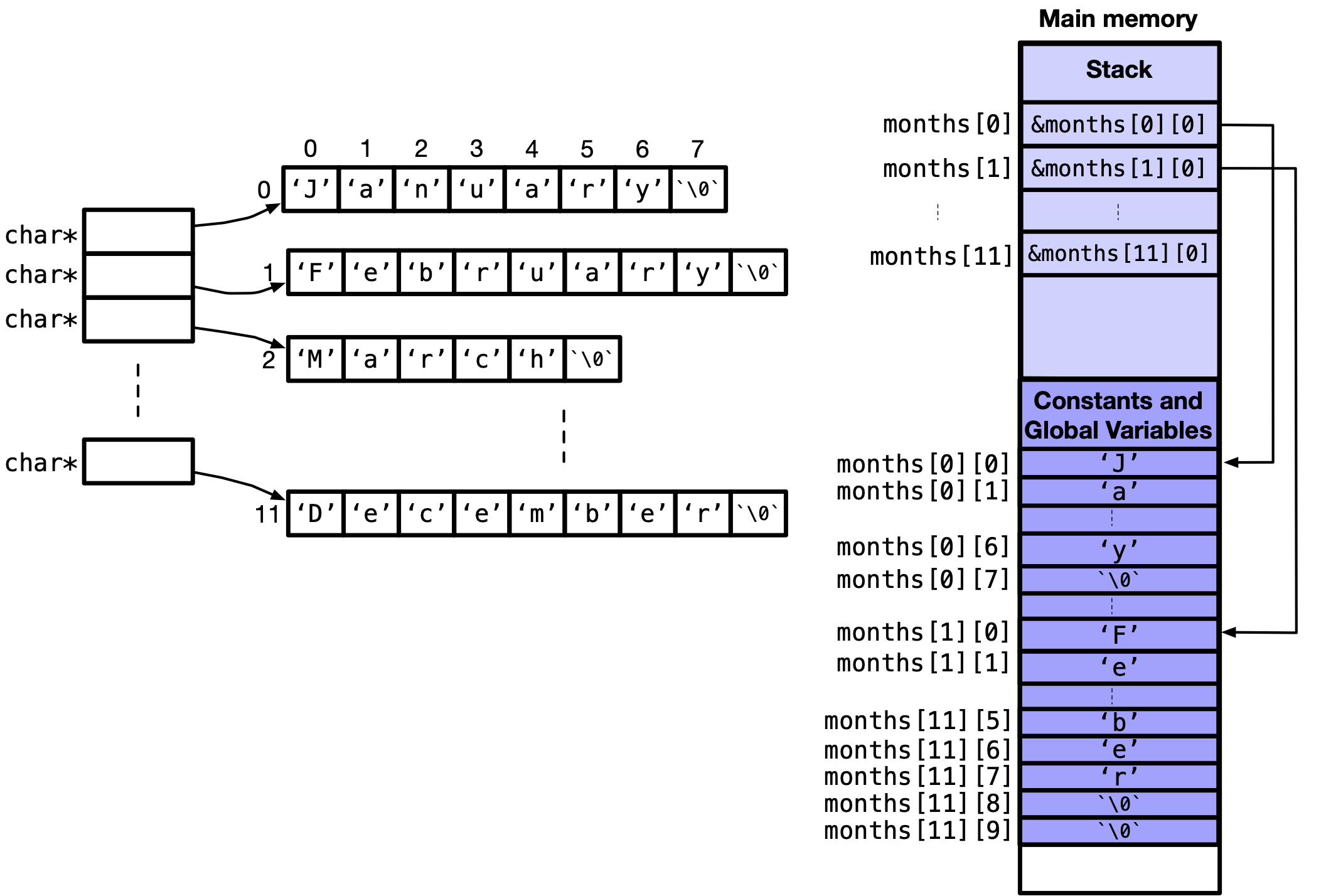
The following reading from a highly-voted Stack Overflow answer uses compiler output to prove that the string literal is placed in a read-only section. This level of detail is exactly what interviewers look for from experienced candidates.
What is the difference between char array and char pointer in C?
This Stack Overflow answer provides a deep dive into how string literals are handled by the compiler, referencing the C standard and showing assembly output.
First, read the answer that begins 'C99 N1256 draft'. Focus on point 2 ('Everywhere else') and the example that follows. Notice the clear statement: 'If an attempt is made to use p to modify the contents of the array, the behavior is undefined.' Then, look at the GCC output analysis showing the literal is stored in the .rodata section. Finally, skim the answer quoting 'APUE', which provides a practical example of why this distinction causes segmentation faults.
const Correctness: A Best Practice
Because modifying a string literal via a char * is undefined behavior, it's a best practice to declare the pointer as const char *.
const char *p = "hello";
This makes your intention clear and allows the compiler to help you. If you accidentally try to modify the string, you will get a compile-time error instead of a runtime crash, which is always preferable.
const char *p = "hello";
// p[0] = 'j'; // Now this is a compile-time error!
Synthesizing the Differences
Here is a summary table that you can use to structure your answer in an interview:
| Feature | char arr[] = "string"; |
const char *p = "string"; |
|---|---|---|
| Variable Type | Array of characters (char[]) |
Pointer to constant character (const char *) |
sizeof Result |
Size of the array (length + 1) | Size of a pointer (e.g., 4 or 8 bytes) |
| String Data Location | Stack (if local) or .data segment. A writable copy. |
Read-only memory (.rodata segment). |
| Variable Location | Stack (if local). The array itself. | Stack (if local). The pointer variable. |
| Data Mutability | Mutable. arr[0] = 'S'; is valid. |
Immutable. p[0] = 'S'; is a compile-time error. |
| Variable Mutability | Immutable. arr++ is illegal. |
Mutable. p++ or p = "new"; are valid. |
Deeper Dive: String Literal Pooling
There's one more advanced topic related to char *p = "string"; that's worth knowing: string literal pooling (or interning). Compilers are smart. If they see the same string literal multiple times in your code, they may store it only once in the .rodata section to save memory.
const char *p1 = "hello";
const char *p2 = "hello";

// p1 and p2 might point to the exact same memory address!
// if (p1 == p2) { ... } // This could be true.
The C standard allows this optimization but doesn't guarantee it. This has a critical practical implication: never use the == operator to compare the content of two strings pointed to by char* variables. You must always use strcmp.
The dev.to article also covers this optimization and its consequences well.
Please read the sections 'What Happens If Two Variables Use the Same String Literal?' and 'Why This Matters in Practice'. This will solidify your understanding of why using strcmp is non-negotiable.
Conclusion
You are now equipped to provide a comprehensive answer that goes beyond the surface level.
Key Takeaways:
char arr[] = "string";creates a mutable copy of the string on the stack (or in.data).arris an array, not a pointer.char *p = "string";creates a pointer on the stack that points to an immutable string literal in a read-only memory segment.- Attempting to modify the data through the pointer
pis undefined behavior. Usingconst char *is the correct and safe way to declare pointers to string literals. - The compiler may pool identical string literals, making pointer comparison (
==) unreliable for checking string equality. Always usestrcmp.
In our next lesson, we will continue exploring the relationship between arrays and pointers by looking at how 1D and 2D arrays are passed to functions, further examining the mechanism of pointer decay.