Introduction
Hello! Welcome to the final lesson in our "Tableau Fundamentals" module. In our last session, you got hands-on experience creating your first basic visualization by dragging dimensions and measures onto the shelves. Now that you've built something, it's essential to know how to save it.
This lesson addresses the learning outcome: Save and open a Tableau workbook (.twb vs .twbx). This might seem simple, but understanding the difference between the two main file types is one of the most critical foundational skills in Tableau. It can mean the difference between successfully sharing your work and sending a file that your colleague can't open.
We will cover:
- The definition of a Tableau Workbook (
.twb) file. - The definition of a Tableau Packaged Workbook (
.twbx) file. - The key differences and when to use each type.
- Special considerations for saving when using Tableau Public, which you've mentioned is your tool of choice.
By the end of this 60-minute lesson, you'll be able to confidently save your work in the correct format for any situation.
The Blueprint and the Meal Kit: TWB vs. TWBX
At its core, the difference between a .twb and a .twbx file is about what's included. A great way to think about this is with an analogy:
- A
.twb(Tableau Workbook) file is like a recipe. It contains all the instructions: what sheets and dashboards you've built, how you've formatted them, which fields you used, and where to find the data. However, it does not contain the data itself (the ingredients). - A
.twbx(Tableau Packaged Workbook) file is like a meal kit. It includes the recipe (.twb) and all the ingredients (a copy of the data, custom images, etc.) bundled together in one convenient package.
To get a deeper understanding of this distinction, let's dive into a detailed explanation.
What is TWB and TWBX in Tableau?
The following article from Graphed Blog provides an excellent breakdown of these two file types. As you read, focus on the 'recipe' versus 'meal kit' analogy and what each file type contains.
Please read the first two main sections: 'What is a Tableau Workbook (.twb) File?' 'What is a Tableau Packaged Workbook (.twbx) File?' Pay close attention to the part about the 'Big "Gotcha" with TWB Files'—this is a very common issue for new users.
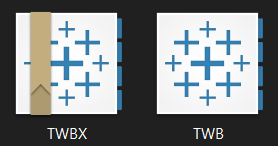
As you can see, the 'x' in .twbx signifies that it is a packaged, self-contained file. This difference is even reflected in their file icons.
How and When to Save Each File Type
Now that you understand what these files are, let's cover the practical side: how to save them and, more importantly, when to choose one over the other.
How to Save
The process of saving is straightforward and happens in the File menu. This very short video demonstrates the process.
How to Save your Tableau Workbook in Tableau Desktop twb, twbx, Publish, Public
This clip from Ynteractive Training quickly shows you the save dialog in Tableau and points out the two file types.
Watch the first 47 seconds of the video. Notice how you can select either .twb or .twbx from the 'Save as type' dropdown menu.
When to Save
Deciding which format to use depends entirely on your context. Are you working alone? Are you sharing with someone? Does the recipient have access to the original data?
Let's refer back to the Graphed Blog article for a handy checklist.
What is TWB and TWBX in Tableau?
This section provides a clear checklist to help you decide which file type you need. It's a great practical guide for making the right choice.
Read the section titled 'How to Choose and Save the Right File Type in Tableau'. Focus on the questions in the 'A Quick Checklist' part.
Let's solidify this with a couple of scenarios. Think about which file type you would use:
- Scenario A: You are working on a visualization using an Excel file stored on your personal laptop. You plan to continue working on it tomorrow.
- Answer: You could use a
.twbfile since you have access to the data source. However, saving as a.twbxis often a safer habit, as it keeps everything together.
- Answer: You could use a
- Scenario B: You have created a dashboard using company sales data from a central server. You need to email it to a consultant who is outside your company network.
- Answer: You must use a
.twbxfile. The consultant does not have access to your company's server, so a.twbfile would fail to open because it couldn't find the data. The.twbxpackages a copy of the data within the file itself.
- Answer: You must use a
Saving with Tableau Public
Since your goal is to use the free Tableau Public service, there are some specific behaviors you need to be aware of. Tableau Public is fundamentally a platform for publishing and sharing your work.
The following resource explains how saving works with Tableau Desktop and, crucially, how to publish to your Tableau Public profile.
Saving Your Workbook in Tableau Desktop
This article from ChristianSteven Software explains the process of saving workbooks to Tableau Public. This is key to building your portfolio and sharing your analyses.
Please read the following sections: 'Save a Packaged Workbook (.twbx)': This reinforces that packaged workbooks are ideal for sharing. 'Sharing Data Externally: Saving Workbooks to Tableau Public': This gives you the step-by-step process for publishing your work online. 'Saving Work Locally with Tableau Desktop Public Edition': This is a very important point. It confirms that even with the free Public edition, you can save .twbx files to your local computer to work offline or privately before you're ready to publish.
A Critical Note on Data Privacy: When you save a workbook to your Tableau Public profile, you are also publishing the underlying data extract. Anyone can view your visualization, download the workbook, and access its data. Never publish sensitive or confidential information to Tableau Public. Always use sample or anonymized data for your public portfolio.
Conclusion
Congratulations on completing the "Tableau Fundamentals" module! You now have a solid grasp of the basic building blocks of Tableau, from navigating the interface to building and, now, saving your work.
Key Takeaways:
.twb(Tableau Workbook): This is the blueprint of your visualization. It's smaller in size but requires a live connection to the original data source to function..twbx(Tableau Packaged Workbook): This is a self-contained file that bundles the workbook (.twb) with a copy of the data and any other assets like images. It is larger but highly portable.- The Golden Rule: When in doubt, or anytime you are sharing your work with someone else (or with Tableau Public), save it as a
.twbx.
Preview of the Next Lesson:
You've built a strong foundation. In our next module, "Core Visualization Techniques," we will start applying these skills to build specific and powerful chart types. Your next lesson will be on how to create bar charts to compare categorical data—one of the most common and effective chart types in data analysis.