Hello! Welcome to your very first lesson. I'm excited to help you start your journey into programming.
Today, we'll take the first crucial step toward your goal of building an AI-powered text analysis web application. Every complex application, no matter how impressive, is built from fundamental concepts. This lesson covers the absolute basics: how to write and run simple Python programs. You will learn to use variables to store information and work with the most common data types: text (strings), whole numbers (integers), and true/false values (booleans).
This foundation is essential. To build your text analysis tool, you first need to understand how a program can read, store, and manipulate text and numbers. Let's get started!
What is Programming?
At its heart, programming is simply giving a computer a set of instructions to perform a task. We write these instructions in a programming language, which is a special language that both humans can write and computers can understand. For this course, our language is Python.
Python is known for its clear and readable syntax, making it an excellent choice for beginners. It's also incredibly powerful and is widely used in web development, data science, and artificial intelligence—perfect for your project goals.
Two Ways to Run Python Code
There are two primary ways you'll interact with Python: through an interactive shell for quick tests, and by writing script files for your actual programs.
-
The Interactive Shell: This is like having a direct conversation with the Python interpreter. You type one command, and it responds immediately. It's great for experimenting and trying out small pieces of code.
-
Script Files: For any real program, you'll write your instructions in a file (usually ending in
.py). You then ask the Python interpreter to run all the instructions in that file from top to bottom. This is how you'll build your web application.
To see these two methods in action, watch the first part of the following video. It demonstrates how to use the interactive shell and how to write a basic script in a text editor and run it from the command line.
How to Run Python Programs ( .py files ) on Windows 11 ( All Options )
Watch this video to see how to run Python code using both the interactive shell and by executing a .py file.
Watch from the beginning until the 4:01 mark. Focus on understanding the difference between typing commands directly into the Python shell versus saving them in a .py file and running it from the command prompt.
While the video uses Notepad, for this course, you'll want to use a more powerful code editor. A great, free, and popular choice is Visual Studio Code (VS Code). If you haven't installed Python and VS Code yet, the article below provides a guide.
Get started using Python on Windows for beginners
This guide from Microsoft provides instructions for installing Python and Visual Studio Code on Windows.
If you need help with installation, read the sections "Manually set up your Python development environment", "Install Python", and "Install Visual Studio Code".
Storing Information: Variables
Once you start writing programs, you'll need a way to store and label information. We do this with variables. Think of a variable as a labeled box where you can keep a piece of data. You give the box a name, and you can see what's inside or change its contents later.
In Python, you create a variable and give it a value using the = assignment operator:
# Here, 'message' is the variable name, and "Hello, world!" is the data.
message = "Hello, world!"

# Here, 'user_count' is the variable name, and 100 is the data.
user_count = 100
This next video provides a friendly introduction to variables and the different types of data they can hold.
Python variables for beginners ❎
This video from Bro Code clearly explains what variables are and how to use them.
Watch the first minute of the video (from 0:09 to 1:01). Pay attention to the analogy of a variable as a 'reusable container'.
The Building Blocks: Basic Data Types
Variables can hold different kinds of data. These different kinds are called data types. For now, we'll focus on the three most fundamental types you'll use constantly.
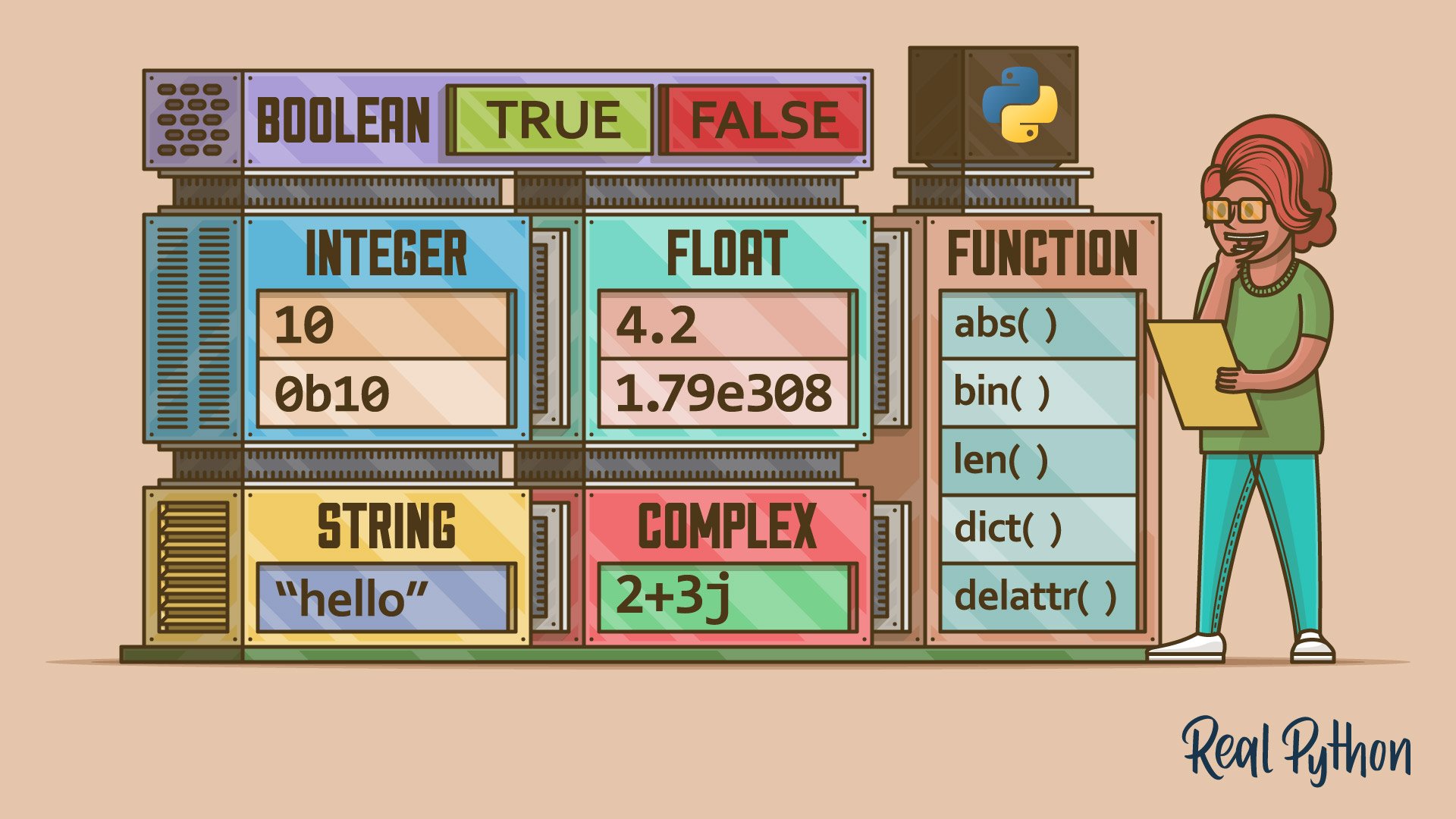
To dive deeper into these types, the following article is an excellent, comprehensive resource. We'll refer to specific parts of it as we introduce each data type.
Basic Data Types in Python: A Quick Exploration
This Real Python article is a detailed guide to Python's fundamental data types. We'll use it as a reference throughout this section.
You don't need to read the whole article at once. We'll point you to the relevant sections as we go.
1. Strings (str)
A string is used to represent text. It's a sequence of characters enclosed in either single quotes (') or double quotes ("). Since your goal is to build a text-analysis tool, strings will be at the heart of your application.
# A simple string variable
greeting = "Hello Python"

# A string holding a user's name
user_name = 'Ada Lovelace'
What you can do with strings: Python has many built-in functions to work with strings. For example, you can change their case.
text = "This is some sample text."
print(text.upper())  # Output: THIS IS SOME SAMPLE TEXT.
print(text.lower())  # Output: this is some sample text.
For more detail on strings, refer to the Real Python article you opened.
Reading: In the article "Basic Data Types in Python," read the section titled Strings and Characters, focusing on "Regular String Literals" and "String Methods" for now.
2. Integers (int)
An integer is a whole number (no fractional part). You'll use integers for counting things, like the number of words in a text or the number of users.
# Storing the number of words
word_count = 345

# Storing a user's age
age = 30
You can perform standard math operations with integers.
x = 10
y = 5
print(x + y)  # Output: 15
Reading: In the article "Basic Data Types in Python," read the section titled Integer Numbers.
3. Booleans (bool)
A boolean has only two possible values: True or False. They are essential for decision-making in your code. For example, "is the user logged in?" or "does this text contain a specific word?". The answer is either yes (True) or no (False).
is_logged_in = True
has_errors = False
Boolean values are the foundation for controlling which parts of your code run, a topic we'll explore in the next lesson.
Reading: In the article "Basic Data Types in Python," read the section titled Booleans.
Test your understanding!
For each line below, what is the data type of the variable x?
x = "My name is Sam"x = 2024x = "2024"x = True
Show answer
- string: The value is text enclosed in double quotes.
- integer: The value is a whole number.
- string: Even though it contains numbers, it's enclosed in quotes, making it text.
- boolean: The value is
True.
Writing Your First Script
Let's combine everything you've learned. We will write a simple script that asks for a user's name and age, and then prints a personalized message.
- Open VS Code (or your code editor).
- Create a new file and save it as
greeter.py. - Type the following code into the file:
# 1. Greet the user and ask for their name
print("Hello! I'm your new Python assistant.")
user_name = input("What is your name? ")

# 2. Ask for their age
user_age_str = input("How old are you? ")

# 3. Convert the age from a string to an integer
# The input() function always gives us a string!
user_age_int = int(user_age_str)

# 4. Prepare a boolean to check if they are an adult
is_adult = user_age_int >= 18

# 5. Print a summary using an f-string
# f-strings are a modern way to format strings in Python
print(f"--- Your Information ---")
print(f"Nice to meet you, {user_name}!")
print(f"Your age is: {user_age_int}")
print(f"Is an adult: {is_adult}")
How to run it:
Open a terminal or command prompt, navigate to the folder where you saved greeter.py, and run the command:python greeter.py
The program will ask you for your name and age. After you provide them, it will print the final summary.
Code Breakdown:
input()is a function that prompts the user and captures their typed response as a string.int()is a function that tries to convert a value into an integer. We need this becauseinput()gives us a string, but we want to treat the age as a number.- The
fbefore the string in the finalprintstatements creates an f-string. It allows you to embed variable values directly inside a string by placing them in curly braces{}. This is a very common and convenient way to build strings.
Key Takeaways
Congratulations on completing your first lesson! You've taken a significant step.
- You learned that Python code can be run interactively or from a
.pyscript file. - You now know how to use variables to store data like text, numbers, and logical values.
- You were introduced to the three core data types: strings (for text), integers (for whole numbers), and booleans (for
True/Falselogic). - You wrote and executed a complete Python script that interacts with a user.
Next Steps
In our next lesson, we will build directly on the boolean data type. You'll learn how to use conditional statements (if/elif/else) to make your programs "intelligent" by allowing them to make decisions and execute different code based on different conditions.