Hello! Welcome back.
In our last lesson, you took a full tour of the n8n interface. You now know your way around the canvas, node panel, execution log, and sidebar. Think of it as having the keys to a new workshop and knowing where all the tools are kept.
Today, we're going to learn the names and purposes of those tools. This lesson is all about vocabulary. By the end of our session, you will be able to define the five most important concepts in automation: workflow, node, trigger, action, and execution. Mastering this language is the final step before we start building.
The Big Picture: Workflow and Nodes
Let's start with the two most fundamental concepts. A workflow is the entire automated process you build, and nodes are the individual steps that make up that process.
A great way to think about this is to imagine you're creating a recipe.
- The Workflow is the complete recipe from start to finish (e.g., the recipe for "Chocolate Cake").
- The Nodes are the individual ingredients and instructions in that recipe (e.g., "add flour," "mix eggs," "bake for 30 minutes").
To hear this analogy explained, watch this short clip.
n8n Masterclass: Build AI Agents & Automate Workflows (Beginner to Pro)
The video 'n8n Masterclass' by Nate Herk uses a simple and effective restaurant analogy to explain these core concepts.
Watch the segment from 08:18 to 09:43. Pay close attention to how the speaker relates workflows, nodes, and executions to a recipe in a restaurant.
So, on the n8n canvas, you connect a series of nodes to create a complete workflow. Each node is a building block that performs one specific job.
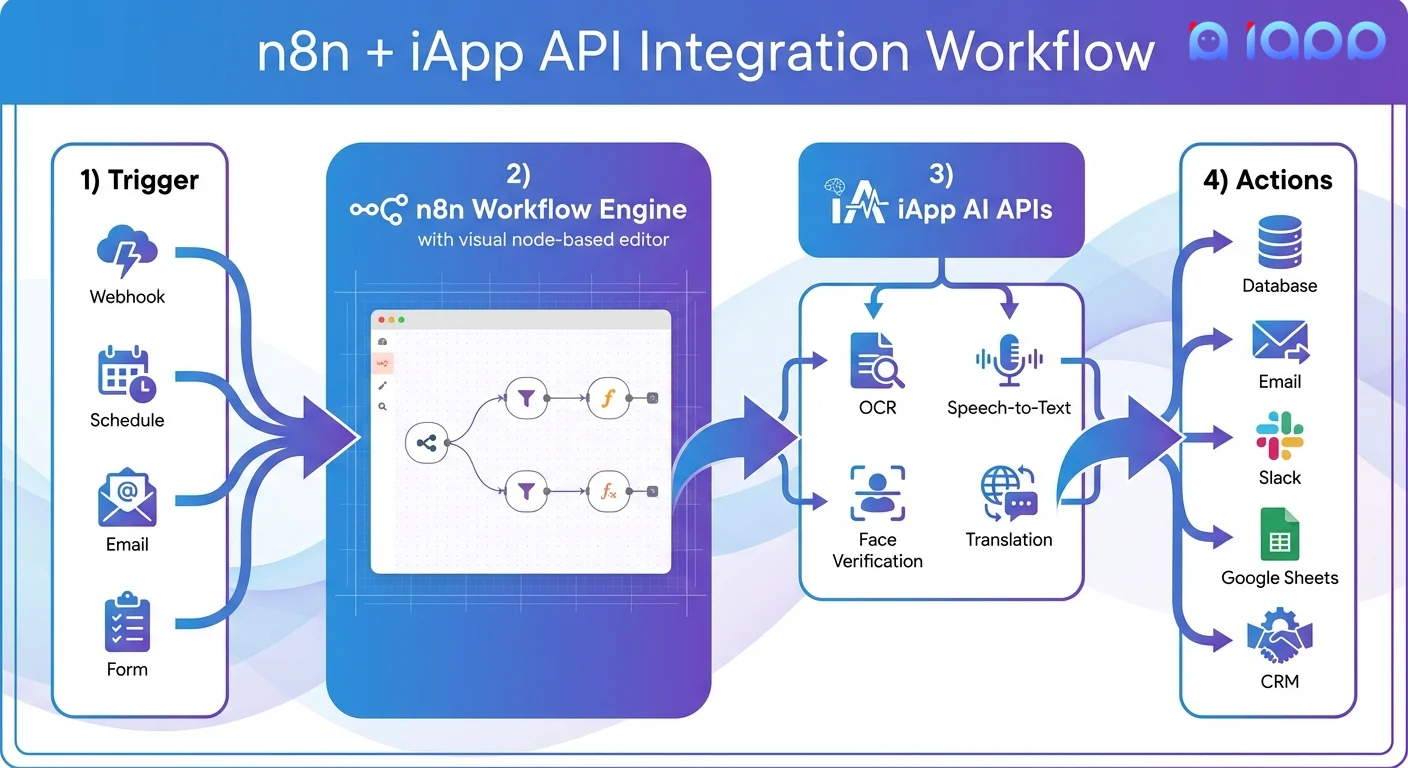
For a clear, text-based definition of nodes, please read the following guide.
[PDF] The Ultimate n8n Starter Kit (2025)
The article 'The Ultimate n8n Starter Kit' offers a concise explanation of what nodes are and their role in a workflow.
Please read the section titled 'Lesson 2.1: Understanding Nodes', stopping at 'Node Structure'. Focus on the definitions of 'Nodes', 'Trigger Nodes', and 'Regular Nodes'.
The "Start" and the "Do": Triggers vs. Actions
Now let's get more specific. Nodes can be categorized in several ways, but the two most important types are Triggers and Actions.
-
Trigger Node: This is a special type of node that starts your workflow. Every workflow must begin with exactly one trigger. It's the "on" switch for your automation. A trigger waits for a specific event to happen.
- Example: "When a new lead fills out my Meta Ads form..."
- Example: "Every day at 9:00 AM..."
- Example: "When I receive an email with 'Invoice' in the subject line..."
In the n8n interface, trigger nodes are usually identified by a small lightning bolt icon.
-
Action Node: This is a regular node that performs a task after the workflow is triggered. These are the "doers" of your workflow. You can have many action nodes in a sequence.
- Example: "...add that lead's information to a Google Sheet."
- Example: "...generate a sales report."
- Example: "...forward that email to my accountant."
This next video does an excellent job of breaking down the different categories of nodes, including triggers and actions.
n8n Masterclass: Build AI Agents & Automate Workflows (Beginner to Pro)
Let's return to the 'n8n Masterclass' video. The speaker clearly categorizes the main types of nodes you'll be using.
Watch the section from 16:16 to 18:59. Focus on the definitions and examples for 'Trigger nodes' and 'Action nodes'. You can just listen to the descriptions of 'Data transformation' and 'Logic' nodes for now; we will cover those in much more detail later in the course.
Here is a simple visual example of a workflow that contains a trigger and an action:

The Final Piece: Execution
You have your recipe (workflow), and it has ingredients and steps (nodes, including a trigger and actions). But what happens when you actually cook the dish?
An Execution is a single, complete run of your workflow, from the trigger to the final action.
Going back to our restaurant analogy:
- Workflow = Recipe for the cake
- Execution = One instance of a customer ordering the cake, the kitchen baking it, and the waiter serving it.
Every time your workflow runs, it counts as one execution. In the last lesson, you learned about the Execution Log, which is simply the list of all past executions for your workflow.
There are two kinds of executions to be aware of:
- Test Executions: When you are building and testing your workflow, you can run it manually. These test runs are marked with a beaker icon in the execution log.
- Production Executions: Once you activate your workflow, it runs automatically based on its trigger. These are "live" runs and are considered production executions.
The following video explains this distinction clearly.
n8n Quick Start Tutorial: Build Your First Workflow [2025]
The official n8n channel's 'Quick Start Tutorial' provides a clear explanation of test vs. production executions.
Watch from 12:37 to 13:52. The presenter explains what happens after you 'activate' a workflow and how to see the difference between a test execution (beaker icon) and a production execution in the log.
Conclusion
Excellent! You've just learned the fundamental language of n8n and automation. These five concepts are the foundation for everything we will build together.
Key Takeaways:
- Workflow: The entire automation process, composed of connected nodes. It's your "recipe."
- Node: An individual building block or step in a workflow. It's an "ingredient" or an "instruction."
- Trigger: The special node that starts a workflow when a specific event occurs. It's the "Go" signal.
- Action: A node that performs a task within the workflow, like sending an email or updating a spreadsheet. It's the "doer."
- Execution: A single run of an entire workflow, from trigger to finish. You can view all past executions in the Execution Log.
Preview of the Next Lesson:
You now know your way around the n8n interface, and you understand the core concepts. It's time to get your hands dirty! In the next lesson, you will put this knowledge into practice as you create and manually execute your very first simple, two-node workflow.