Hello! Welcome back to our module on building RESTful APIs.
In our last lesson, we covered the foundational theory of REST, including its core principles like statelessness and the use of HTTP methods for CRUD operations. You learned that a RESTful API is organized around resources, which are identified by URIs.
Today, we'll put that theory into practice. We are going to build the "traffic cop" for our API—a basic router. The goal for this lesson is to learn how to handle incoming API requests and route them based on their URL and HTTP method. This is the first and most fundamental piece of practical API development.
1. The Front Controller Pattern
In modern web applications, it's a standard practice to direct all incoming requests to a single PHP file. This file, often called a "front controller," acts as the single entry point for the entire application. Its job is to analyze the request and delegate the work to the appropriate part of your codebase.
This approach has several advantages over having multiple PHP files (e.g., get_products.php, create_user.php):
- Centralized Logic: It's easier to handle common tasks like security, configuration, and request parsing in one place.
- Clean URLs: It allows us to create user-friendly and RESTful URLs like
/products/123instead of/api.php?resource=products&id=123.
To achieve clean URLs, we need to configure the web server to rewrite incoming URLs and forward them all to our index.php front controller. For the Apache web server, this is done using a file named .htaccess.
Let's watch a short video that demonstrates how to set this up.
Create a PHP REST API : Write a RESTful API from Scratch using Plain, Object-Oriented PHP and MySQL
This video from Dave Hollingworth demonstrates how to create an index.php file as a front controller and use an .htaccess file to direct all API requests to it. This is the first step in building our router.
Watch from 00:35 to 03:20. Pay attention to how the $_SERVER['REQUEST_URI'] superglobal is used to see the requested path, and how the .htaccess rule forwards all requests to index.php.
As shown in the video, the .htaccess file is simple but powerful. Here is the code for easy reference:
RewriteEngine On
RewriteRule . index.php
This tells Apache to turn on its rewrite engine and send any request that comes into this directory to the index.php file. Now, every API call, whether it's to /products or /users/42, will be handled by our single front controller.
2. Parsing the Request in PHP
Now that all requests land in index.php, we need to write PHP code to inspect the request and figure out two key things:
- What resource is being requested? (e.g.,
products,users, etc.) - What action is being performed? (e.g.,
GET,POST,DELETE, etc.)
We can get this information from PHP's $_SERVER superglobal array:
$_SERVER['REQUEST_URI']contains the path part of the URL (e.g.,/products/123).$_SERVER['REQUEST_METHOD']contains the HTTP method used (e.g., 'GET', 'POST').
Once we have the URI, we can parse it to identify the resource and any specific ID. A common way to do this is by splitting the string by the / character.
Let's see how this is done.
Create a PHP REST API : Write a RESTful API from Scratch using Plain, Object-Oriented PHP and MySQL
With our front controller in place, the next step is to parse the incoming URL to understand what the client wants. This part of the video shows a simple but effective way to do this.
Continue watching from 03:20 to 05:19. Focus on how the explode function is used to break the URL into segments. Notice how the code checks the first segment to identify the resource ('products') and extracts an optional ID. Also, note the early exit with a 404 'Not Found' status code for invalid paths.
Here's the core logic from the video:
<?php

$parts = explode("/", $_SERVER["REQUEST_URI"]);

// A very basic check for our 'products' endpoint
if ($parts[1] != "products") {
    http_response_code(404);
    exit;
}

// Check for an ID in the URL, e.g., /products/123
$id = $parts[2] ?? null;

$method = $_SERVER["REQUEST_METHOD"];

echo "Resource: products, ID: $id, Method: $method";

?>
This is a good start! We can now identify the resource, an optional ID, and the HTTP method.
3. Delegating to a Controller
While the code above works, putting all the logic for every resource inside index.php would quickly become unmanageable. A much better approach is to delegate the request to a dedicated Controller class.
A controller is a class designed to handle all requests for a specific resource. For example, a ProductController would handle all CRUD operations for products. The job of index.php is simply to figure out which controller to use and pass the request details to it.
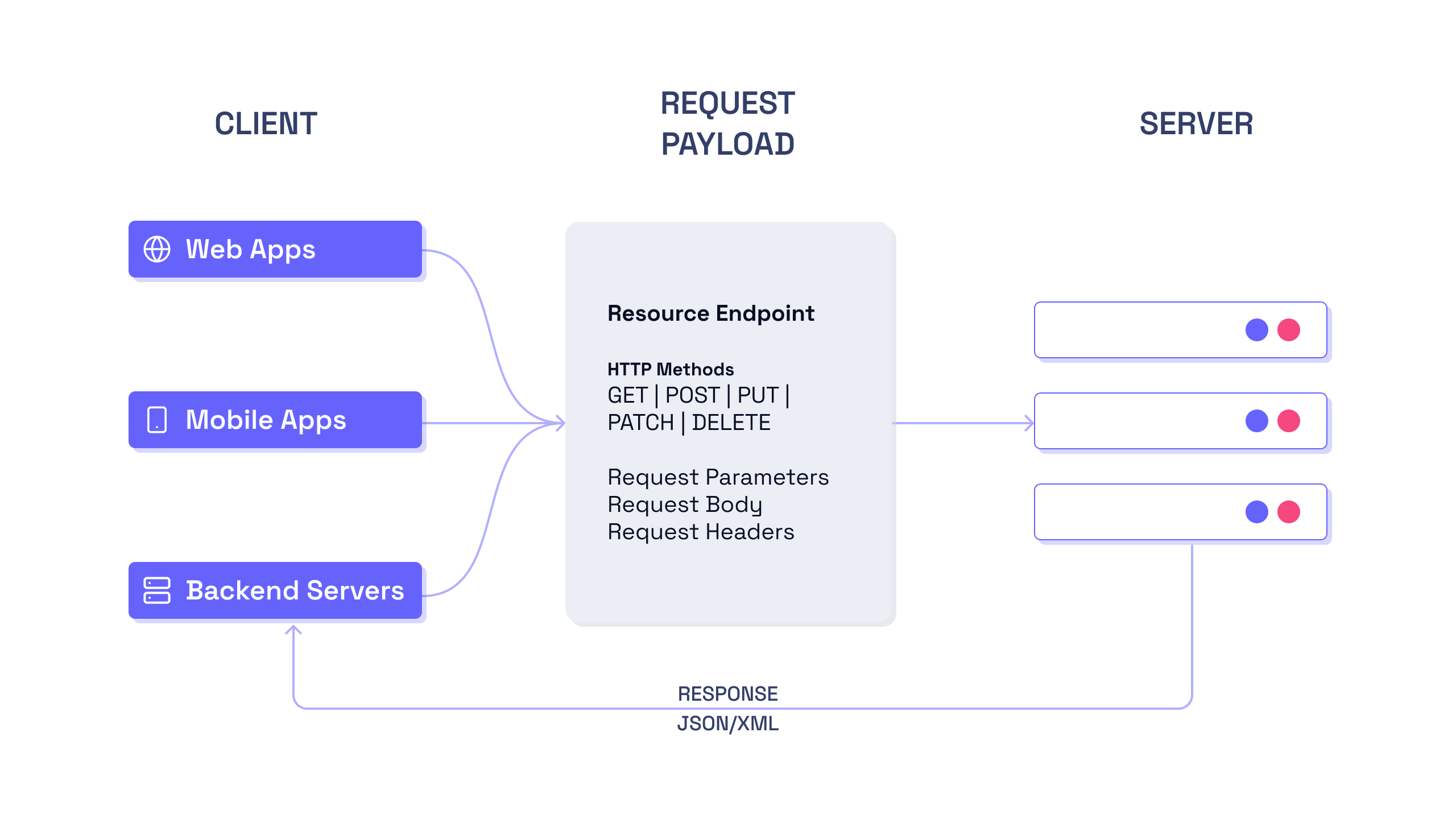
Let's refactor our code to use a controller. This next video segment introduces a ProductController and demonstrates how the index.php file can instantiate it and call a method to process the request.
Create a PHP REST API : Write a RESTful API from Scratch using Plain, Object-Oriented PHP and MySQL
Now we'll refactor our routing logic into a dedicated Controller class. This is a crucial step for organizing our code as the application grows. The video also introduces a simple autoloader, a concept you'll explore fully with Composer in a later module.
Watch from 05:19 to 08:59. Observe how a ProductController class is created. The main index.php script now simply instantiates this controller and calls a method on it, passing the request method and ID. Inside the controller, notice the switch statement that begins to handle different HTTP methods.
Let's review the final structure.
index.php (Front Controller)
<?php
// We will assume an autoloader is configured to load our classes
require __DIR__ . "/src/ProductController.php";

// Set a default header for all responses
header("Content-type: application/json; charset=UTF-8");

$parts = explode("/", $_SERVER["REQUEST_URI"]);

if ($parts[1] != "products") {
    http_response_code(404);
    exit;
}

$id = $parts[2] ?? null;

$method = $_SERVER["REQUEST_METHOD"];

// Instantiate the controller and process the request
$controller = new ProductController();
$controller->processRequest($method, $id);
src/ProductController.php (Controller)
<?php

class ProductController
{
    public function processRequest(string $method, ?string $id): void
    {
        if ($id) {
            $this->processResourceRequest($method, $id);
        } else {
            $this->processCollectionRequest($method);
        }
    }

    private function processResourceRequest(string $method, string $id): void
    {
        // Logic for single resource requests (e.g., /products/123)
        // ... will be built out further
    }

    private function processCollectionRequest(string $method): void
    {
        // Logic for collection requests (e.g., /products)
        switch ($method) {
            case "GET":
                echo json_encode(["message" => "GET collection called"]);
                break;
            case "POST":
                echo json_encode(["message" => "POST collection called"]);
                break;
            default:
                // If the method is not supported for this endpoint
                http_response_code(405); // Method Not Allowed
                header("Allow: GET, POST"); // Inform client of allowed methods
                break;
        }
    }
}
This structure is much cleaner. The index.php file is lean; its only job is routing. The ProductController is now responsible for all logic related to products, and it uses a switch statement on the HTTP method to decide which action to take.
Note the default case in the switch statement. This is important for a well-behaved API. If a client tries to use an HTTP method that your endpoint doesn't support (like PUT on the /products collection), you should respond with a 405 Method Not Allowed status code and include an Allow header listing the valid methods.
Conclusion
Congratulations! You have just built the skeleton of a RESTful API router. This is a fundamental pattern used in all modern PHP frameworks. You've learned how to capture all requests, parse them to understand the client's intent, and delegate them to organized, resource-specific controller classes.
Key Takeaways:
- The Front Controller pattern (
index.php) acts as a single entry point for all API requests. - URL rewriting (using
.htaccessfor Apache) is used to create clean, RESTful URLs. - You can inspect an incoming request using
$_SERVER['REQUEST_URI']and$_SERVER['REQUEST_METHOD']. - A router's primary job is to parse the request and delegate it to a specific Controller.
- Inside a controller, a
switchstatement on the HTTP method is a common and effective way to dispatch the request to the correct logic. - A good API handles unsupported methods by returning a
405 Method Not Allowedstatus.
Preview of the Next Lesson:
Our router can now direct traffic, but the controller methods are just placeholders. In the next lesson, "Process API requests, interact with a database, and return data", we will flesh out these methods. You'll learn how to connect to a database using PDO, execute queries based on the request, and return the results as properly formatted JSON.