Hello! Welcome to the final lesson in our "React Fundamentals Refresher" module.
In our last session, we dove into performance optimization with useMemo and useCallback. You learned how to prevent unnecessary computations and re-renders, which is a key skill for building high-performance applications. We established that these hooks, along with useState and useEffect, are the fundamental building blocks of component logic in React.
Today, we'll learn how to assemble these building blocks into powerful, reusable patterns called custom hooks. This lesson will bridge the gap between using React's built-in features and creating your own abstractions, a crucial step for writing clean, scalable, and maintainable code. By the end of this lesson, you will be able to extract and reuse stateful logic across multiple components by creating your own custom hooks.
Why Do We Need Custom Hooks?
As applications grow, you'll often find yourself writing the same logic in multiple components. For example, you might have several components that need to:
- Fetch data from an API and handle loading/error states.
- Subscribe to the device's online/offline status.
- Manage a form input's state and validation.
- Persist some state to the device's local storage.
Copying and pasting this logic is not only tedious but also a maintenance nightmare. In React, we have three primary ways to share code:
- To reuse UI (JSX): Create a component.
- To reuse non-React logic: Create a regular JavaScript utility function.
- To reuse stateful logic (logic that uses hooks): Create a custom hook.
Custom hooks allow you to package up logic involving useState, useEffect, or any other hook, and share it across your application as a simple function call.
The following short video provides an excellent overview of the motivation behind hooks and explains why a plain JavaScript function isn't sufficient when dealing with React's state and lifecycle features.
MASTER React Custom Hook Pattern with Real-World Examples || Day 06
To start, let's watch this video from tapaScript to understand what makes a hook 'special' and why it's the right tool for sharing stateful logic.
Watch from 02:15 to 09:09. Focus on: The problems with older patterns like Higher-Order Components (HOCs). The definition of a hook as a special function that can 'hook into' React features. The key difference between a hook and a regular utility function: a hook is 'React-aware'.
The Rules of Custom Hooks
Before we create one, it's vital to remember that custom hooks are not magic. They are subject to the exact same rules as the built-in hooks you've already learned:
- Only call hooks at the top level. Don't call them inside loops, conditions, or nested functions.
- Only call hooks from React functions. Call them from React function components or from other custom hooks.
- Custom hooks must be named starting with
use(e.g.,useFetch,useOnlineStatus). This convention is essential for React's linter to identify them and enforce the rules.
The React documentation on this is very clear and provides a great example.
Reusing Logic with Custom Hooks
Let's read the official React documentation to solidify our understanding of the naming convention and its importance.
Read the section titled 'Hook names always start with use'. It explains why this naming convention is not just a suggestion but a requirement for the tooling to work correctly.
Creating a Custom Hook: A Practical Example
Now for the practical part. Let's build a useLocalStorage hook. This is a very common hook that allows a component to use a piece of state that is automatically persisted to and retrieved from the browser's localStorage (in React Native, the equivalent would be using a library like MMKV or AsyncStorage, but the principle is identical).
Imagine you have two components—a ThemeSwitcher and an ItemList—and you want the state for both to be saved when the user closes the app. Without a custom hook, you'd have to duplicate the useState and useEffect logic for handling local storage in both components.
The following flowchart gives a high-level overview of the process we're about to follow.
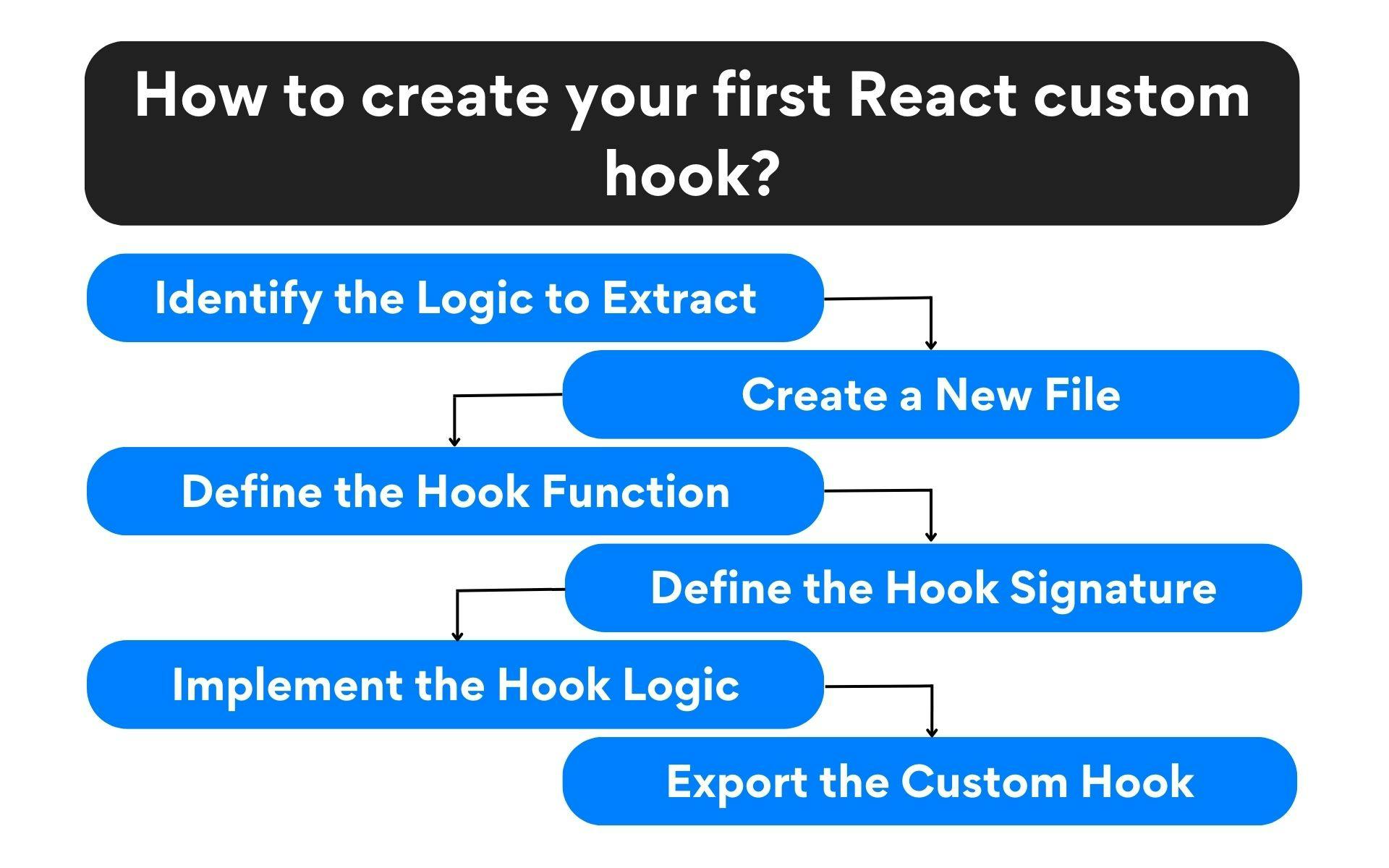
Now, let's watch a detailed walkthrough of how to identify this duplicated logic and extract it into a clean, reusable useLocalStorage hook.
Custom Hooks in React - Every React Developer Should Know This
This video from ByteGrad provides a perfect step-by-step demonstration of creating a useLocalStorage hook. It covers identifying the duplicated logic, extracting it, and making it generic.
Watch from 11:00 to 16:37. Pay close attention to how the author: Identifies the duplicated useState and useEffect logic in the component. Creates a new useLocalStorage function (notice the use prefix). Copies the logic into the new function. Makes the hook reusable by accepting a key as an argument. Cleans up the component by replacing the complex logic with a single call to the new hook.
Designing the Hook's Interface
As you just saw, a custom hook can return values. A common design question is whether to return these values as an array or an object.
-
Array
[value, setValue]:- Pro: Allows the consumer to name the returned values freely using array destructuring (e.g.,
const [theme, setTheme] = ...). This mimics theuseStateAPI. - Con: The order matters. Getting the order wrong can lead to subtle bugs.
- Pro: Allows the consumer to name the returned values freely using array destructuring (e.g.,
-
Object
{ value, setValue }:- Pro: The order doesn't matter, and the names are explicit, which can make the code more self-documenting.
- Con: If you want to rename the values, the destructuring syntax is more verbose (e.g.,
const { value: theme, setValue: setTheme } = ...).
For hooks that closely mimic useState, returning an array is a common and intuitive pattern. The video you just watched discusses this trade-off.
Crucial Distinction: Sharing Logic vs. Sharing State
This is one of the most important concepts to understand about custom hooks.
Custom hooks share stateful logic, not state itself.
Every time a component calls a custom hook, it gets its own independent, isolated set of state variables. If two components call useLocalStorage('theme'), they are not sharing the same state variable in memory. Each will have its own useState call inside the hook. They will appear synchronized only because they are both reading from and writing to the same external source (localStorage).
The React documentation provides an excellent useFormInput example that makes this distinction crystal clear.
Reusing Logic with Custom Hooks
Let's read the 'Custom Hooks let you share stateful logic, not state itself' section from the React docs. This is a critical concept.
Read this section carefully. Notice how the Form component calls useFormInput twice. Understand that this is equivalent to having two separate useState declarations within the Form component itself. Each call to the hook is independent.
Advanced Patterns for Robust Hooks
Given your background and goals, let's touch on two more advanced patterns that make custom hooks even more powerful.
1. Making Hooks Type-Safe with Generics
What if our useLocalStorage hook needs to store a string, a number, or an object? We want it to be flexible while remaining type-safe. This is a perfect use case for TypeScript generics.
By using a generic type parameter (<T>), we can create a relationship between the initial value passed to the hook and the type of the state it returns. This provides excellent type safety and autocompletion for anyone using the hook.
Custom Hooks in React - Every React Developer Should Know This
Let's continue with the ByteGrad video to see how to add TypeScript generics to our useLocalStorage hook. This aligns well with your interest in under-the-hood mechanics and building robust code.
Watch from 20:10 to 26:25. It's okay if the TypeScript syntax is new; focus on the concept. The goal is to tell TypeScript: 'Whatever type I pass in as the initial value, that's the type of the state value I expect back, and that's the type the setter function should accept.'
2. Hook Composition
Just as you compose simple functions to build complex ones, you can compose hooks. A custom hook can call other built-in hooks and also other custom hooks. This allows you to build layers of abstraction.
For example, you could have:
useFetch(url): A low-level hook for fetching any data.useUser(userId): A hook that fetches user data by callinguseFetch(/api/users/${userId}`).useDashboardData(): A high-level hook that callsuseUser()anduseNotifications()to gather all the data for a dashboard.
This pattern of composing smaller, focused hooks into larger, more complex ones is fundamental to building scalable React applications.
Key Takeaways
- Custom hooks are the standard way to reuse stateful logic in React.
- They are regular JavaScript functions whose names must start with
use. - They can call other hooks (
useState,useEffect, even other custom hooks). - They follow the same rules as built-in hooks: call them at the top level and only from React functions.
- Custom hooks provide logic reusability, not state sharing. Each call to a hook creates an independent state.
- Well-designed custom hooks make components more declarative, hiding implementation details and focusing on intent.
With this lesson, you've completed the React fundamentals refresher. You now have a solid grasp of components, state, side effects, performance optimization, and logic reuse—the pillars of modern React development.
In our next lesson, we will begin Module 2: React Native Core & Styling. We'll shift our focus from general React principles to the specifics of building mobile UIs, starting with React Native's powerful layout system: Flexbox.