Introduction
In our previous lesson, we saw how returning a function from another function (a "function factory") can create specialized functions on the fly. You saw this with the make_multiplier example:
def make_multiplier(n):
    def multiplier(x):
        return x * n
    return multiplier

doubler = make_multiplier(2)
print(doubler(10)) # Output: 20
We noted that the inner multiplier function somehow "remembers" the value of n from its parent scope, even after make_multiplier has finished executing. This powerful mechanism is called a closure.
Today, we will dissect this concept. You will learn not just what a closure is, but how it works under the hood to capture state from its enclosing scope. Critically, you will also learn how to use the nonlocal keyword to modify that captured state, a key technique for creating stateful functions without resorting to classes.
1. What is a Closure? The "Captured State"
A closure is a function object that has access to variables in its enclosing lexical scope, even when the function is called outside that scope. To form a closure in Python, you need three things:
- An enclosing function that contains another function.
- An inner function defined within the enclosing function.
- The enclosing function must return the inner function.
The magic is that the returned inner function carries with it a "memory" of the variables from its enclosing scope.
To get a more formal definition and see the components of a closure laid out, please read the following sections from a Real Python article.
Python Closures: Common Use Cases and Examples
This article, "Python Closures: Common Use Cases and Examples", provides a clear and concise definition of closures and distinguishes them from simple inner functions.
Please read the sections "Getting to Know Closures in Python", "Inner Functions", and "Function Closures". Focus on the three components required to create a closure and how returning the inner function is the key step that turns it into a closure.
To make this concept of "scopes" more concrete, let's watch a video that uses a visual debugger to step through a closure's execution.
Exploring Python's Scopes and Closures : A Code Conversation
This Real Python video, "Exploring Python's Scopes and Closures", uses the Thonny debugger to visually demonstrate how an inner function retains access to variables from its enclosing (non-local) scope, even after the outer function's scope window has disappeared.
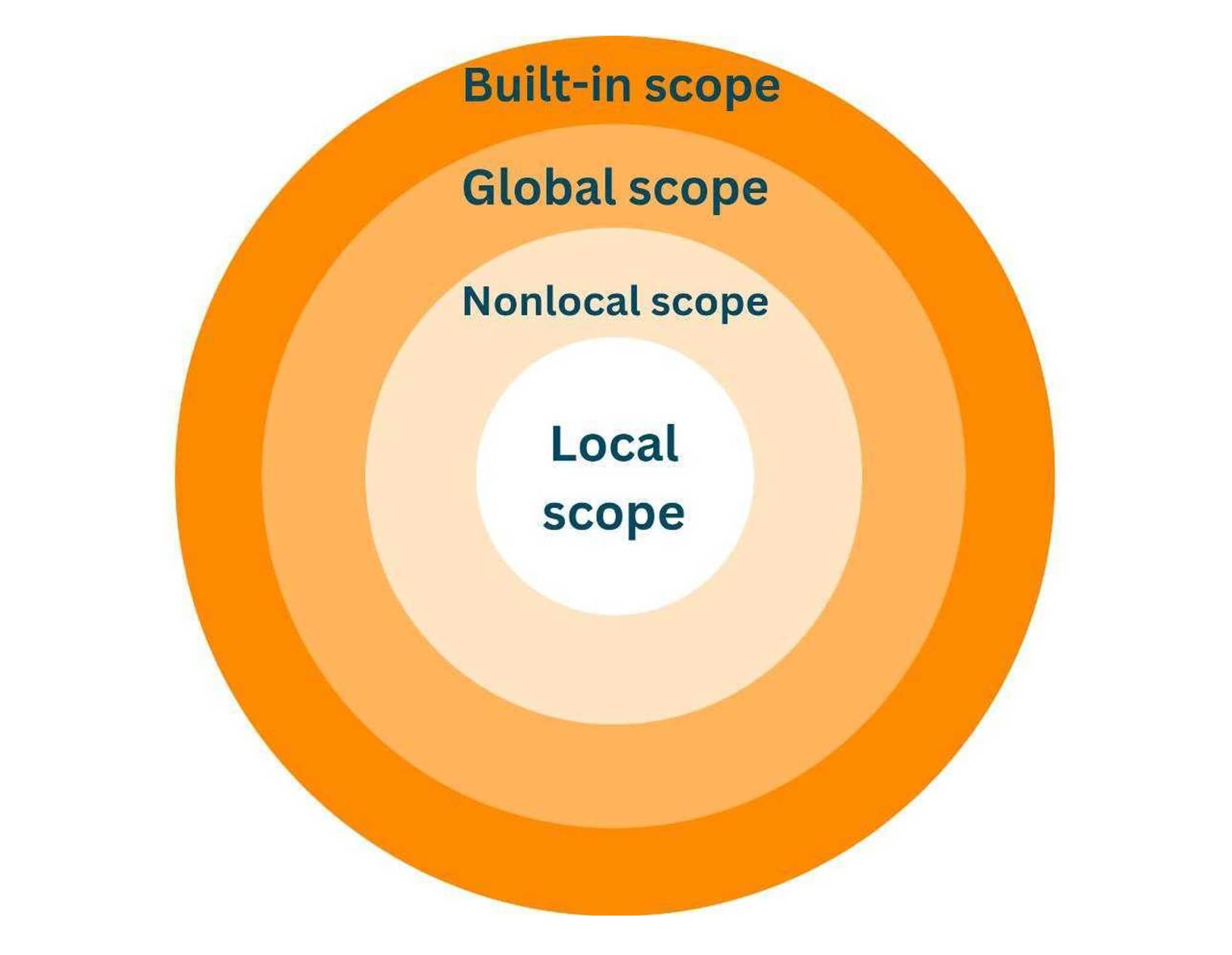
Watch from the beginning up to 12:29. Pay close attention to how the debugger visualizes the different scopes (global, outer, inner) and how the message variable is still accessible in the inner_returned function call at the end, after the outer function's scope has been closed.
2. How Closures Work: Cells and __closure__
So, how does the inner function actually retain this state? It's not magic; it's a specific implementation detail in Python.
The key rule to remember is: Where Python will look for a variable is determined at compile time, but the value of that variable is looked up at runtime.
When Python compiles a function with a nested function that references variables from the outer scope, it packages those non-local variables into special objects called cells. The inner function then holds a reference to these cells in its __closure__ attribute. A cell is essentially an extra layer of indirection that allows the value to be updated and shared.
Functions within functions, closures, and variable scopes in Python
The mCoding video "Functions within functions, closures, and variable scopes in Python" provides the crucial theoretical rule about compile-time vs. runtime resolution. It then introduces the concept of cells.
Watch these segments: 02:11 - 03:10: This explains the fundamental compile-time vs. runtime rule. This is the most important concept for understanding what follows. 04:51 - 07:41: This shows that the inner function can access variables from the outer scope even if they are defined after the inner function. This reinforces the runtime lookup rule. 07:41 - 10:38: This part defines closures and explicitly shows the cell objects that Python uses to store references to non-local variables.
Now, let's go even deeper and inspect these cell objects ourselves. You can programmatically access the closure and even modify its contents, though this is generally for inspection, not something you'd do in production code.
Exploring Python's Scopes and Closures : A Code Conversation
The Real Python video from earlier has an excellent segment where the presenter dives into an iPython session to inspect the __closure__ and __code__ attributes, demonstrating exactly where and how this state is stored.
Watch from 12:41 to 22:33. Focus on how co_cellvars (on the outer function) and co_freevars (on the inner function) store the names of the captured variables, while the __closure__ attribute (on the inner function) holds the cell objects, and cell.cell_contents holds the actual value.
This deep dive shows that closures are a well-defined mechanism, not just a vague concept. They provide a robust way to bundle a function with its required state.
3. Modifying Captured State: The nonlocal Keyword
What happens if you want the inner function to change the state it captured?
Consider this attempt to create a simple counter:
def make_counter():
    count = 0
    def counter():


        # We want to increment the 'count' from the outer scope
        count += 1 # This will FAIL
        return count
    return counter

c = make_counter()


# c() # This would raise an UnboundLocalError
This code fails with an UnboundLocalError. Why? Because the assignment count += 1 (which is count = count + 1) makes Python assume that count is a local variable within the counter function. Since count was never initialized locally before the assignment, an error occurs. Python does not automatically assume you mean to modify the count from the enclosing scope.
To fix this, you must explicitly tell Python your intention with the nonlocal keyword.
Python Closures: Captured Variables
The Real Python article we started with has a perfect section on this, contrasting the modification of immutable vs. mutable captured variables.
Read the section titled "Captured Variables". Pay close attention to the make_counter example, which shows exactly how to use nonlocal to modify an immutable integer. Also, note the make_appender example, which shows why nonlocal is not needed when modifying a mutable object like a list in-place.
Here is the corrected counter example:
def make_counter():
    count = 0  # Enclosing scope variable
    def counter():
        nonlocal count  # Tell Python we're modifying the 'count' from the enclosing scope
        count += 1
        return count
    return counter

c1 = make_counter()
print(c1())  # Output: 1
print(c1())  # Output: 2


# Each closure has its own independent state
c2 = make_counter()
print(c2())  # Output: 1
The nonlocal statement resolves the ambiguity. It tells the compiler that assignments to count inside the counter function should refer to the count variable in the nearest enclosing scope, not create a new local one.
4. A Classic Pitfall: Closures and Late Binding
A common trap when creating closures inside a loop is "late binding". The closed-over variables are looked up when the inner function is called, not when it's defined.
Consider this code:
funcs = []
for i in range(3):
    def print_i():
        print(i)
    funcs.append(print_i)


# What will this print?
for f in funcs:
    f()
You might expect it to print 0, 1, 2. Instead, it prints:
2
2
2
This happens because all three print_i functions in the list share the same closure over the variable i. When they are finally called, the loop has already completed, and i has its final value of 2.
The standard Pythonic solution is to use a default argument to capture the value at definition time.
How to Understand Python Variable Scoping Rules (LEGB)
The article "How to Understand Python Variable Scoping Rules (LEGB)" clearly explains this pitfall and its solution.
Read the section "Common Closure Pitfall". The side-by-side example of the pitfall and the fix using a default argument is exactly what you need to understand.
Here's the fix:
funcs_fixed = []
for i in range(3):


    # The default argument i=i captures the *current* value of i for each lambda
    def make_printer(val=i):
        def printer():
            print(val)
        return printer
    funcs_fixed.append(make_printer())

for f in funcs_fixed:
    f()
This now correctly prints 0, 1, 2. The default argument is evaluated when the function is defined, effectively freezing the value of i for each iteration.
Exercise: Create a Running Average Closure
Your task is to build a function factory make_running_average that creates a stateful averaging function. The returned function should accept a number and return the average of all numbers it has seen so far.
Requirements:
- The
make_running_averagefunction should initialize the necessary state. - The returned closure must update this state with each call.
- You will need to use
nonlocalto modify the captured state variables (e.g., total sum and count).
Starter Code:
# average.py

def make_running_average():
    """
    A function factory that creates a stateful running average function.
    """


    # TODO: Initialize state variables for the closure
    count = 0
    total = 0

    def running_average(new_value):
        """
        Accepts a new value, updates the state, and returns the current average.
        """


        # TODO: Use nonlocal to modify the state
        # TODO: Calculate and return the new average
        pass

    return running_average


# test_average.py
import pytest
from average import make_running_average

def test_running_average():


    # Create one averager instance
    avg1 = make_running_average()
    assert avg1(10) == 10.0
    assert avg1(20) == 15.0  # (10 + 20) / 2
    assert avg1(30) == 20.0  # (10 + 20 + 30) / 3


    # Create a second, independent averager to prove state is isolated
    avg2 = make_running_average()
    assert avg2(5) == 5.0
    assert avg2(15) == 10.0 # (5 + 15) / 2


    # Check that the first averager's state was not affected
    assert avg1(40) == 25.0 # (10 + 20 + 30 + 40) / 4
Solution
Here is the corrected implementation in average.py.
# average.py (FIXED)

def make_running_average():
    """
    A function factory that creates a stateful running average function.
    """
    count = 0
    total = 0

    def running_average(new_value):
        """
        Accepts a new value, updates the state, and returns the current average.
        """
        nonlocal count, total
        count += 1
        total += new_value
        return total / count

    return running_average
This solution correctly initializes count and total in the enclosing scope. The inner running_average function then uses nonlocal to declare its intent to modify these captured variables. With each call, it updates them and computes the new average, demonstrating a perfect use case for a stateful closure.
Conclusion
You have now moved beyond simply using function factories to understanding the deep mechanics of how they operate. Closures are a fundamental concept that bridge the gap between simple functions and full-fledged classes.
Key Takeaways:
- A closure is an inner function returned by an outer function, which "remembers" variables from its enclosing scope.
- This "memory" is implemented using cell objects, which provide a layer of indirection that Python stores in the inner function's
__closure__attribute. - To modify an immutable captured variable (like a number or string), you must use the
nonlocalkeyword to tell Python you intend to change the variable in the enclosing scope. - Be wary of late binding when creating closures in a loop; use default arguments to capture the value at definition time.
In our next lesson, we will explore the functools module, which provides powerful tools for working with functions. You'll learn about functools.wraps (essential for building robust decorators, which are often closures), functools.partial for creating specialized functions, functools.lru_cache for easy memoization, and functools.singledispatch for function-based polymorphism.