Welcome back! In our previous lesson, we uncovered the mechanics of the asyncio event loop, understanding how it orchestrates cooperative multitasking. You learned that await is the signal for a coroutine to yield control, and asyncio.create_task() is the key to scheduling work for concurrent execution.
In this lesson, we will move from theory to practice. You will learn to write your own coroutines using the async and await syntax. Our goal is to perform actual I/O-bound operations concurrently and witness the performance benefits firsthand. By the end of this lesson, you will be comfortable defining and running asynchronous functions to build high-performance applications.
The Syntax of Asynchronous Python: async def and await
At the core of asyncio are two keywords that enable asynchronous programming in Python: async and await.
-
async def: This syntax is used to define a coroutine function. When you call a function defined withasync def, it doesn't execute its code immediately. Instead, it returns a coroutine object, which is an awaitable object. -
await: This keyword is used inside a coroutine function to pause its execution until an awaitable object (like another coroutine, a Task, or a Future) completes. While the current coroutine is paused, the event loop is free to run other tasks. You can only useawaitinside anasync deffunction.
To illustrate, let's use a cooking analogy.
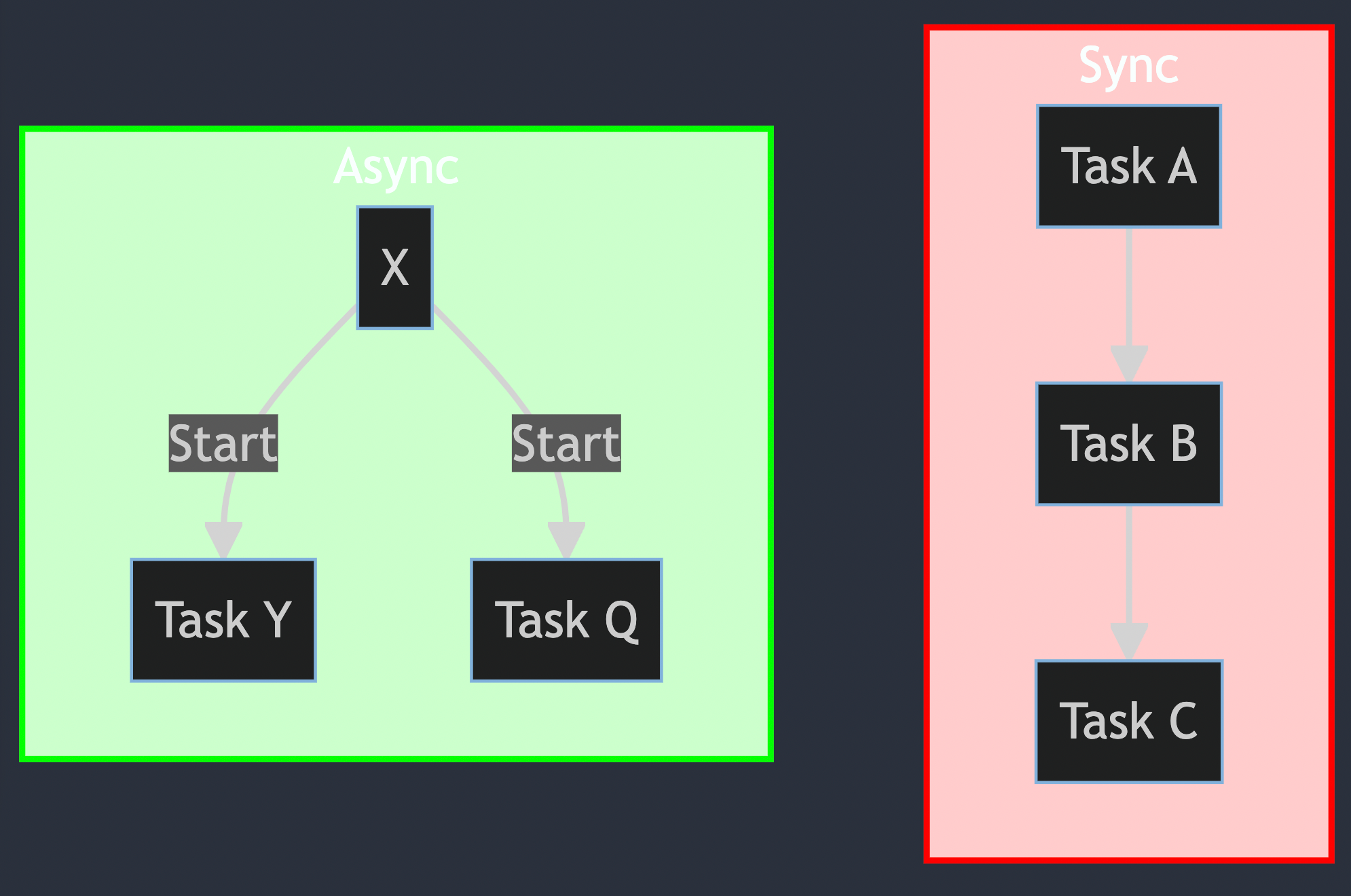
A synchronous cook would put a burger on the grill, wait for it to finish completely, and only then start preparing the salad. An asynchronous cook, however, puts the burger on the grill (await cook_burger()), and while it's cooking (an I/O-bound wait), they immediately start chopping vegetables for the salad (await chop_salad()). The await keyword is the moment the cook pauses one task and switches to another that can be worked on.
For a more formal definition of these keywords and their rules, the following resource is an excellent reference.
Python's asyncio: A Hands-On Walkthrough
This article from Real Python provides a clear, formal definition of async and await and the rules governing their use.
Read the section titled "The async and await Keywords". Focus on the bullet points that list the rules for where and how you can use these keywords. This will solidify your understanding of the syntax.
Writing Your First Coroutine: From Blocking to Non-Blocking
Let's convert a simple synchronous function into a non-blocking coroutine. This is a fundamental skill. A common I/O-bound operation is simply waiting. In synchronous code, you use time.sleep(), which blocks the entire thread. In asynchronous code, you use asyncio.sleep(), which is a coroutine that tells the event loop to pause the current task and work on something else.
Let's see this in action with a concrete example.
Python's asyncio: A Hands-On Walkthrough
The first section of the Real Python article provides a perfect side-by-side comparison of synchronous and asynchronous code.
Read the section "Coroutines and Coroutine Functions". Pay close attention to the countsync.py and countasync.py examples. Notice how time.sleep() is replaced with await asyncio.sleep(), and asyncio.run() is used to execute the top-level coroutine. The dramatic reduction in execution time from ~6 seconds to ~2 seconds demonstrates the power of concurrency for I/O-bound tasks.
The key insight from that example is that when you await asyncio.sleep(1), you are not just pausing; you are explicitly giving the event loop one second to run other scheduled tasks. Because all three count() coroutines were scheduled concurrently with asyncio.gather(), their sleep times overlap, and the total runtime is determined by the longest path, not the sum of all paths.
A Common Mistake: Sequential await vs. Concurrent Tasks
In the last lesson, you saw an animation showing that simply calling await on coroutines one after another results in sequential, not concurrent, execution. Let's revisit this critical concept with code.
Imagine we wrote the main function from the countasync.py example like this:
async def main():


    # This is sequential, NOT concurrent!
    await count()
    await count()
    await count()
This would run the first count() to completion (taking 2 seconds), then the second, then the third, for a total of 6 seconds. The await keyword effectively says, "Stop everything in this function and wait for this one thing to finish."
To achieve true concurrency, you must first schedule all the coroutines as Tasks on the event loop, allowing the loop to switch between them. The asyncio.gather() function is a convenient utility that does this for you: it takes a series of awaitables, schedules them as tasks, and waits for all of them to complete.
The following video provides an excellent visual explanation of this exact scenario.
Python Tutorial: AsyncIO - Complete Guide to Asynchronous Programming with Animations
This video by Corey Schafer uses animations to make the execution flow crystal clear.
First, watch the first async attempt. This animation visualizes the sequential await mistake. Notice how the event loop runs the first task to completion before even starting the second. Next, watch the segment on the correct async implementation. Here, asyncio.create_task is used to schedule the tasks upfront. The animation clearly shows the event loop starting the first task, and when it hits await asyncio.sleep(), it immediately switches to the second task. This overlap is the essence of I/O-bound concurrency.
Practical Application: Concurrent API Calls
Let's apply these concepts to a scenario you're very familiar with as a backend developer: fetching data from multiple API endpoints.
Synchronously, you would loop through a list of URLs and make requests one by one. If each request takes 1 second, fetching 5 URLs will take 5 seconds.
import requests
import time

def sync_fetch_all(urls):
    """Synchronous version - requests run sequentially"""
    results = []
    for url in urls:


        # Each request blocks until complete before starting the next
        response = requests.get(url)
        results.append({"url": url, "status": response.status_code})
    return results
With asyncio, we can send all requests concurrently and wait for them to complete in parallel. The total time will be roughly the time of the single slowest request. To do this, we need an HTTP client library that supports asyncio, such as aiohttp or httpx.
The following video provides a fantastic, step-by-step walkthrough of refactoring a synchronous requests-based script to a high-performance asynchronous one using aiohttp.
Python Asyncio, Requests, Aiohttp | Make faster API Calls
Patrick Collins provides a very practical guide to making asynchronous API calls.
Start by watching how to refactor to async. Pay attention to the introduction of async def, asyncio.run(), and especially the async with syntax for managing the aiohttp.ClientSession. The async with statement is the asynchronous version of a context manager, essential for resources that require non-blocking setup and teardown, like network connections. Next, watch the segment on achieving true concurrency. This part is crucial. Notice how he creates a list of tasks (coroutines) first, and then uses await asyncio.gather(*tasks) to execute them all at once. This is the pattern for maximizing I/O-bound throughput. The performance jump to under one second for 60 calls is a powerful demonstration.
Exercise: Concurrent Data Fetching
Now it's your turn to apply what you've learned.
Write a small Python script with the following components:
-
A coroutine function named
fetch_data(id: int)that:- Prints a message like
Fetching data for {id}... - Simulates a random network delay between 0.5 and 2.0 seconds using
await asyncio.sleep(random.uniform(0.5, 2.0)). - Prints a message like
...Data for {id} fetched. - Returns a dictionary, for example:
{"id": id, "data": f"Sample data for {id}"}.
- Prints a message like
-
A
main()coroutine that:- Uses
asyncio.gather()to runfetch_dataconcurrently for IDs 1, 2, and 3. - Prints the results returned from
gather. - Measures and prints the total execution time.
- Uses
-
Use
asyncio.run(main())to execute your script.
If you implement this correctly, the total execution time should be around 2 seconds (the maximum delay), not the sum of all delays.
Click here to see a possible solution
import asyncio
import random
import time

async def fetch_data(id: int) -> dict:
    """A coroutine to simulate fetching data with a delay."""
    print(f"Fetching data for {id}...")
    delay = random.uniform(0.5, 2.0)
    await asyncio.sleep(delay)
    print(f"...Data for {id} fetched in {delay:.2f} seconds.")
    return {"id": id, "data": f"Sample data for {id}"}

async def main():
    """Runs the data fetching coroutines concurrently."""
    start_time = time.perf_counter()

    results = await asyncio.gather(
        fetch_data(1),
        fetch_data(2),
        fetch_data(3)
    )

    end_time = time.perf_counter()

    print("\n--- Results ---")
    for result in results:
        print(result)

    print(f"\nTotal execution time: {end_time - start_time:.2f} seconds.")

if __name__ == "__main__":
    asyncio.run(main())
Conclusion
Congratulations! You have now moved beyond the theory and have practical experience writing and running concurrent, I/O-bound code. You've seen how async and await work together to yield control to the event loop, and how tools like asyncio.gather can be used to achieve significant performance improvements.
Key Takeaways:
async defis used to declare a coroutine function, which returns a coroutine object.awaitpauses a coroutine and yields control to the event loop, but only works inside anasync deffunction.- You must use non-blocking I/O libraries (e.g.,
asyncio.sleep,aiohttp) that areasyncio-aware. Using a blocking call liketime.sleeporrequests.getwill freeze the event loop. - To run operations concurrently, you must schedule them as tasks on the event loop.
asyncio.gatheris a high-level utility that simplifies this process. - The
async withstatement is the standard way to manage asynchronous resources like network connections.
Preview of the Next Lesson:
We've used asyncio.create_task() and asyncio.gather() to run our coroutines. Both of these work with a fundamental asyncio object: the Task. In the next lesson, we will dive deeper into asyncio.Task objects. You'll learn how to create them explicitly, manage their lifecycle, and use them to build more complex and controllable concurrent applications.