Introduction
In our last lesson, you successfully configured OAuth2 for GitHub, mastering the "OAuth dance" to create a secure, delegated credential for your self-hosted n8n instance. While we've now created both simple (Header Auth) and complex (OAuth2) credentials, the next critical step is understanding how n8n manages these secrets and how you should properly use them in your workflows.
This lesson addresses precisely that, focusing on storing and referencing sensitive configurations using n8n's built-in credential manager. We will explore why hardcoding secrets is a significant anti-pattern, especially in a CI/CD context, and how the credential manager provides a secure, reusable, and maintainable alternative. For your self-hosted setup, we'll pay special attention to the cornerstone of this security: the N8N_ENCRYPTION_KEY.
The Problem with Hardcoding Secrets
In any automated system, especially one that interacts with other services, you'll handle sensitive information like API keys, tokens, and passwords. A common but dangerous mistake is to place these secrets directly into your nodes—for instance, in the URL, query parameters, or headers of an HTTP Request node.
Hardcoding secrets creates several critical problems:
- Security Risk: If you export your workflow to share it or commit it to a Git repository, the secret is exposed in plain text within the workflow's JSON file.
- Maintenance Nightmare: If a key needs to be rotated (e.g., it expires or is compromised), you have to find and update every single workflow that uses it.
- Lack of Reusability: The same API key has to be manually copied and pasted into every new workflow that needs it.
The video below explains these security concerns and introduces the credential manager as the proper solution.
n8n HTTP Request Node & Tool (Connect to APIs)
This segment from the "n8n HTTP Request Node & Tool" video by Ryan & Matt Data Science clearly articulates the security risks of hardcoding credentials.
Watch the section that begins by discussing security concerns. Pay close attention to the distinction made between hardcoding an API key and the need for a more secure, reusable method. The video introduces n8n's credential system, distinguishing between "predefined" and "generic" credential types, which is the core concept we'll be working with.
Under the Hood: The Credential Manager and Encryption
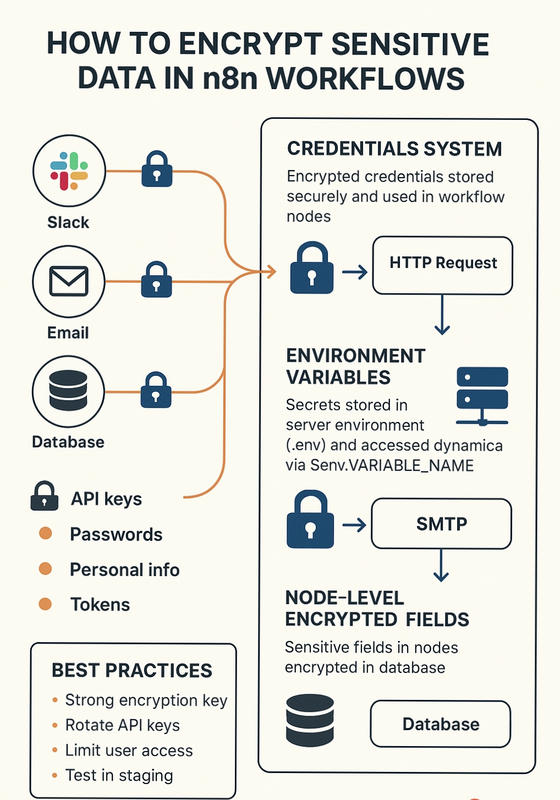
To solve these problems, n8n treats credentials as separate, first-class citizens. When you save a credential, it is not stored within the workflow's definition. Instead, it is stored in a dedicated, encrypted table in your n8n database (e.g., PostgreSQL or SQLite). Your workflow nodes then simply reference the credential by its unique ID.
This architecture provides two key benefits:
- Separation: The workflow contains only a non-sensitive ID, making it safe to export and version control.
- Centralization: The secret is stored in one place. If you need to update it, you do it once in the credential manager, and all workflows that reference it will automatically use the new value.
The following article explains this concept well.
Locking Down Your Workflows: OAuth2 & Credentials in n8n | by Duckweave | Medium
This Medium article provides an excellent conceptual overview of how n8n's credential system works.
Please read the two sections titled "Credentials Are First-Class Citizens" and "Encryption and the Database". These sections explain how credentials are treated as separate entities and how they are encrypted at rest.
The N8N_ENCRYPTION_KEY: The Key to Your Secrets
As the article mentions, the security of your stored credentials hinges on one critical piece of configuration: the N8N_ENCRYPTION_KEY. This is an environment variable that you must set for your self-hosted n8n instance. It's a long, random string that n8n uses as the master key to encrypt and decrypt all credentials.
- If you don't set it, n8n generates one automatically and stores it in a local file. This is dangerous because if that file is lost (e.g., during a Docker container restart without a persistent volume), you will permanently lose access to all your encrypted credentials.
- If you lose your custom key, the result is the same: all credentials become unrecoverable.
- If an attacker steals this key, they can decrypt all the secrets stored in your database.
Given your proficiency with Docker, you should treat this key like any other production secret. It should be defined in your docker-compose.yml file or managed via a secrets management tool.
Secure Your n8n Instance: Secrets, Tokens & Hardening Checklist | VPS US
This article provides practical advice for securing a self-hosted n8n instance, with a strong focus on the encryption key.
Please read the section titled "Managing Credentials and API Tokens". Focus on the role of the N8N_ENCRYPTION_KEY and the best practice of using the _FILE suffix (e.g., N8N_ENCRYPTION_KEY_FILE) to load it from a Docker secret file, a pattern you're likely familiar with from other CI/CD tooling.
Hands-On: Securing a Hardcoded API Key
Now, let's put this into practice. We'll take an insecure workflow with a hardcoded API key and refactor it to use the credential manager. The video you watched earlier provides a perfect demonstration of this process.
n8n HTTP Request Node & Tool (Connect to APIs)
Continuing with the same video, we'll now see the practical steps for creating both predefined and generic credentials to replace hardcoded values.
First, watch the demonstration of converting a hardcoded key into a predefined credential using the SERP API example. This shows the ideal scenario where n8n has built-in support for the service. Next, watch the example of creating a generic credential for the Appify token. The video uses the "Query Auth" type to move a token from the URL into a secure, reusable credential. This is a common pattern for APIs that don't have a predefined n8n integration.
To solidify this, try it yourself:
- Create a new workflow with a Manual Trigger and an HTTP Request node.
- Configure the HTTP Request node to make a GET request to a public API that requires an API key (e.g., you can sign up for a free key at OpenWeatherMap).
- Initially, hardcode the API key as a query parameter. Test it to confirm it works.
- Now, go to the Authentication section of the HTTP Request node.
- Select
Generic Credential Typefor Authentication andQuery Authfor the Generic Auth Type. - Click Create New Credential.
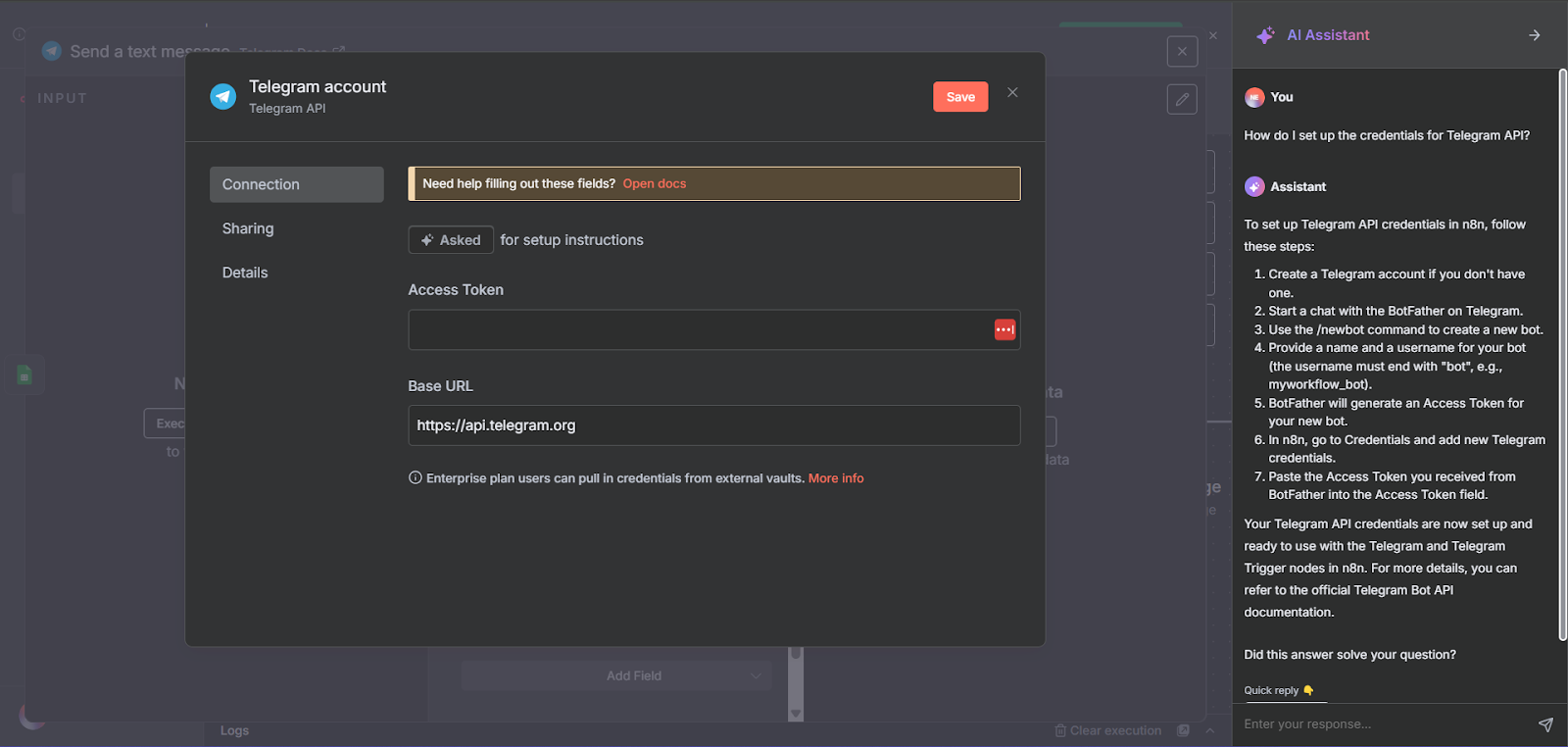
- In the credential configuration window:
- Give it a descriptive name (e.g., "OpenWeatherMap Key").
- For the
Name, enter the query parameter name the API expects (e.g.,appid). - For the
Value, paste your API key. - Save the credential.
- Back in the HTTP Request node, remove the hardcoded API key from the query parameters.
- Run the node again. It should still work, but now it's using the secure, reusable credential you just created.
Conclusion
In this lesson, you've learned one of the most fundamental security practices in n8n: using the built-in credential manager. By moving secrets out of your workflow logic and into a centralized, encrypted store, you make your automations more secure, maintainable, and ready for production environments like your CI/CD pipelines.
Key Takeaways:
- Never hardcode secrets in your workflows. Always use the credential manager.
- n8n's credential manager stores secrets in an encrypted format, separate from the workflow logic. Workflows reference credentials by a non-sensitive ID.
- For self-hosted instances, the
N8N_ENCRYPTION_KEYis the master key for all your secrets. It must be set, securely managed, and backed up. - You can create credentials for both predefined integrations and generic authentication methods (like Header Auth, Query Auth, etc.) to cover virtually any API.
In our previous lesson, we touched on the concept of "scopes" when creating an OAuth2 credential for GitHub. Now that you understand how to properly store and reference credentials, our next lesson will focus on applying least-privilege principles when setting API credential scopes, ensuring your workflows have only the minimum permissions necessary to do their job.