Hello! Welcome back.
In our previous lesson, we designed a robust and flexible YAML schema for our rate limiter. This was a critical architectural step, defining how we want to express our rules. Now, we need to bridge the gap between that configuration file and our Java application.
Your learning outcome for this lesson:
Today, you will learn to bind YAML configuration to Java objects using Spring's @ConfigurationProperties. We will translate the YAML structure we designed into a set of type-safe Java classes. This will allow our application to read, understand, and use the rate-limiting rules you define in application.yml in a clean, structured, and error-resistant way.
1. From YAML Text to Java Objects
The core challenge is to parse the application.yml file and load its hierarchical data into a format our Java code can easily work with. As we briefly touched on last time, doing this manually or with the @Value annotation for each individual property would be unmanageable.
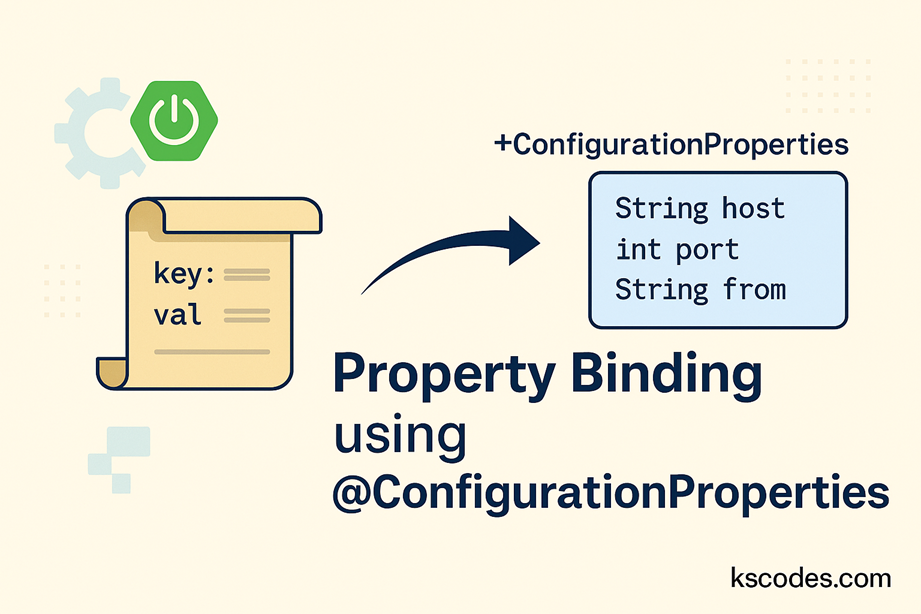
This is where @ConfigurationProperties comes in. It's a powerful Spring Boot feature that automates this entire process, binding a whole section of a configuration file to a Plain Old Java Object (POJO).
Let's start by looking at a practical, detailed guide on how this works. The video you watched in the last lesson is the perfect resource to refresh the key concepts before we start coding.
🛑 Stop Using @Value Everywhere! The Power of @ConfigurationProperties Explained ✅
The video 'Stop Using @Value Everywhere!' provides a fantastic deep-dive into @ConfigurationProperties. Let's re-examine the key mechanics it demonstrates, as we will be applying them directly.
Please watch the following two segments from the video by CodeSnippet: How to Create a Configuration Class (06:12 - 10:53): Focus on how @ConfigurationProperties(prefix = ...) is used on a class and the role of @ConfigurationPropertiesScan to make it available as a bean. Binding Nested Structures (15:28 - 20:40): This is the most critical part for our use case. Pay close attention to how a YAML structure with nested objects and lists is mapped to a set of nested Java classes. This is exactly what we need for our rules list.
2. Implementing the Configuration Classes
Now, let's create the Java classes that will mirror the YAML schema we designed. Given your experience, we can leverage a modern Java feature that is perfectly suited for this task: records. Records are immutable transparent carriers for data, making them ideal for holding configuration values that shouldn't change at runtime.
Based on our schema from the last lesson, we need to model three levels of hierarchy:
- The top-level object with the
rate-limiterprefix. - The list of
Ruleobjects. - The
Matcherobject within each rule.
Here’s how we can represent this using Java records:
Step 1: The Matcher and Algorithm Types
Let's start from the inside out. A rule's match block contains the criteria for applying the rule. The algorithm will be an enum for type safety.
// Represents the "match" block in a rule
public record Matcher(
    String userId,
    String path,
    String ipAddress,
    String apiKey
) {}

// Enum for our supported algorithms for type-safe binding
public enum Algorithm {
    FIXED_WINDOW,
    SLIDING_WINDOW,
    TOKEN_BUCKET
}
Using an enum for the algorithm is a key advantage of this approach. Spring's ConversionService will automatically convert the string from the YAML file (e.g., "TOKEN_BUCKET") into the corresponding enum constant. If a user types TOKEN_BUCKETZ, the application will fail to start with a clear error, preventing invalid configuration from being loaded.
Step 2: The Rule Record
Each rule combines an ID, a matcher, an algorithm, and its parameters. The parameters are a natural fit for a Map<String, Object> as they vary between algorithms.
import java.util.Map;

// Represents a single rate-limiting rule from the list
public record Rule(
    String id,
    Matcher match,
    Algorithm algorithm,
    Map<String, Object> params
) {}
Step 3: The Top-Level RateLimiterProperties Record
This is the main entry point. We annotate it with @ConfigurationProperties and provide the rate-limiter prefix. This tells Spring Boot to bind all properties starting with rate-limiter to this record.
import org.springframework.boot.context.properties.ConfigurationProperties;
import java.util.List;

@ConfigurationProperties(prefix = "rate-limiter")
public record RateLimiterProperties(
    boolean enabled,
    List<Rule> rules
) {}
To enable this, you need to add @ConfigurationPropertiesScan to your main application class. This tells Spring Boot to scan for classes annotated with @ConfigurationProperties and register them as beans.
@SpringBootApplication
@ConfigurationPropertiesScan // Add this annotation
public class RateLimiterApplication {
    public static void main(String[] args) {
        SpringApplication.run(RateLimiterApplication.class, args);
    }
}
And that's it! With these few records and one annotation, Spring Boot will automatically parse your application.yml, create an instance of RateLimiterProperties, and populate it with all the nested rules and their properties. You can then inject this RateLimiterProperties object anywhere you need it, just like any other Spring bean.
For a comprehensive text-based guide that covers these concepts, including nested properties and the use of records, the Baeldung article is an excellent resource.
Guide to @ConfigurationProperties in Spring Boot
The 'Guide to @ConfigurationProperties in Spring Boot' from Baeldung is a classic and thorough reference. It will solidify your understanding of what we just implemented.
Please read the following sections: Section 3, 'Simple Properties': Understand the basics of binding and the relaxed naming rules. Section 4, 'Nested Properties': See examples of binding to Lists, Maps, and nested classes. Section 9, 'Java 16 Records': This section explicitly confirms the modern approach we've taken by using immutable records for configuration.
3. How It Works: A Deeper Look
Given your background in computer science, it's worth understanding what Spring Boot does under the hood. This isn't magic; it's a well-defined process.
How Spring Boot Supports Custom YAML Property Types
The article 'How Spring Boot Supports Custom YAML Property Types' on Medium provides an excellent explanation of the internal mechanics. This will give you a deeper appreciation for the framework's design.
Read the first major section, 'How Spring Boot Reads and Maps YAML Configuration'. Focus on these key points: YAML Loading: How SnakeYAML is used to parse the file. Property Flattening: The crucial step where rate-limiter.rules[0].id is created from the nested structure. The Binder Class: The component that uses reflection to match the flattened keys to your Java record/class fields. ConversionService: The mechanism that handles type conversions like String to int or String to our Algorithm enum.
This process of parsing, flattening, and binding is what makes @ConfigurationProperties so powerful. It provides a robust, type-safe, and highly organized way to manage complex configurations, which is essential for a production-grade application like the one you're building.
4. Activity: Put it All Together
Now, let's put this into practice. Imagine you have the following application.yml file in your src/main/resources directory.
rate-limiter:
  enabled: true
  rules:
    - id: "premium-user-data-endpoint"
      match:
        userId: "premium-*"
        path: "/api/data/**"
      algorithm: TOKEN_BUCKET
      params:
        capacity: 100
        refill-rate: 10
        time-unit: SECONDS

    - id: "global-ip-fallback"
      match:
        ipAddress: "*"
      algorithm: SLIDING_WINDOW
      params:
        limit: 100
        window-size: 3600 # in seconds
        time-unit: SECONDS
Your task is to write the full set of Java classes/records required to correctly bind this configuration.
Click to see the solution
Here is the complete set of Java records needed. You would typically place these in a config or properties sub-package within your project.
RateLimiterProperties.java
package com.example.ratelimiter.config;

import org.springframework.boot.context.properties.ConfigurationProperties;
import java.util.List;

@ConfigurationProperties(prefix = "rate-limiter")
public record RateLimiterProperties(
    boolean enabled,
    List<Rule> rules
) {}
Rule.java
package com.example.ratelimiter.config;

import java.util.Map;

public record Rule(
    String id,
    Matcher match,
    Algorithm algorithm,
    Map<String, Object> params
) {}
Matcher.java
package com.example.ratelimiter.config;

public record Matcher(
    String userId,
    String path,
    String ipAddress,
    String apiKey
) {}
Algorithm.java
package com.example.ratelimiter.config;

public enum Algorithm {
    FIXED_WINDOW,
    SLIDING_WINDOW,
    TOKEN_BUCKET
}
Finally, you would ensure your main application class has the necessary annotation:
RateLimiterApplication.java
package com.example.ratelimiter;

import org.springframework.boot.SpringApplication;
import org.springframework.boot.autoconfigure.SpringBootApplication;
import org.springframework.boot.context.properties.ConfigurationPropertiesScan;

@SpringBootApplication
@ConfigurationPropertiesScan("com.example.ratelimiter.config") // Scans the specific package
public class RateLimiterApplication {
    public static void main(String[] args) {
        SpringApplication.run(RateLimiterApplication.class, args);
    }
}
Conclusion
Congratulations! You have successfully bridged the gap between a human-readable YAML file and type-safe Java objects. This is a fundamental skill for building configurable and maintainable Spring Boot applications.
Key Takeaways:
@ConfigurationPropertiesis the preferred way to handle complex, hierarchical configurations in Spring Boot.- It provides type safety, automatically converting strings from the YAML file to Java types like
int,boolean, andenum. - Using Java
recordsfor configuration properties creates clean, immutable data holders, which is a modern best practice. - The entire process is enabled by adding
@ConfigurationPropertiesScanto your main application class, which triggers Spring's auto-configuration magic.
Next Steps
We now have our rules loaded into the application, but what if a user provides an invalid configuration? For example, a limit of -10 or a TOKEN_BUCKET rule without a capacity. The application might load this configuration without complaint, only to fail unexpectedly at runtime.
In our next lesson, we will address this by learning to validate configuration values using Jakarta Bean Validation annotations (e.g., @NotNull, @Min). This will allow us to enforce constraints on our configuration and ensure the application only starts when its configuration is valid.