Hello! In our last lesson, we explored how Spring Data JPA can automatically generate queries from repository method names. This "convention over configuration" approach is fantastic for simple and clear data retrieval needs.
However, as we discussed, derived queries can become unreadable or insufficient for more complex scenarios. This lesson tackles that limitation head-on. We'll achieve the learning outcome: Define custom JPQL or native SQL queries using the @Query annotation.
By using @Query, you gain complete control, allowing you to write any query you need, from complex joins and subqueries to performance-optimized statements. This moves us from relying on the framework's convention to explicitly defining the configuration—a key skill for building robust applications. We will cover:
- Writing custom queries using JPQL (Java Persistence Query Language).
- Executing raw, database-specific SQL with native queries.
- Passing parameters to your queries securely.
- Using
@Queryfor data modification and performance tuning.
When to Use @Query Over Derived Queries
In the previous lesson, we saw that derived queries are excellent for readability when the logic is simple (e.g., findByNameAndCategory). But you should switch to @Query when:
- The query logic is too complex for a method name (e.g., involves multiple
ORconditions, subqueries, or intricateJOINs). - You need to fine-tune performance, for instance, by using
JOIN FETCHto solve the N+1 problem (we'll cover this!). - You need to use database-specific features not supported by the database-agnostic JPQL.
- The method name would become excessively long and harm code clarity.
Defining Custom JPQL Queries
The most common way to use @Query is with JPQL. JPQL is similar to SQL but operates on your Java entities and their fields, not on database tables and columns. This maintains a level of abstraction and database independence.
The article below provides a comprehensive guide. We'll start by focusing on defining a basic query and how to handle parameters.
Ultimate Guide: Custom Queries with Spring Data JPA's @Query ...
The article 'Ultimate Guide: Custom Queries with Spring Data JPA's @Query Annotation' by Thorben Janssen is an excellent resource. We'll use it to explore the fundamentals.
Please read the following sections: The introduction (up to 'JPQL Queries'), which explains the motivation for using @Query. The section 'Defining a Custom JPQL Query' to see the basic syntax. The section 'Parameter Handling'. This is very important. Pay close attention to the difference between positional (?1) and named (:firstName) parameters.
Key Takeaways on Parameter Binding
As you read, you will have noticed two ways to bind method arguments to your query:
-
Positional Parameters (
?1,?2, ...): These are simple to write, as they map to method arguments by their position (1-indexed).@Query("SELECT p FROM Product p WHERE p.category = ?1 AND p.price < ?2") List<Product> findByCategoryAndPriceLessThan(String category, BigDecimal maxPrice);However, they are brittle. If you reorder the method parameters, you will introduce a bug that the compiler won't catch.
-
Named Parameters (
:name): These are referenced by name. You link the method argument to the named parameter using the@Param("name")annotation.@Query("SELECT p FROM Product p WHERE p.category = :category AND p.price < :price") List<Product> findByCategoryAndPriceLessThan(@Param("category") String category, @Param("price") BigDecimal price);This is the highly recommended approach. It's more verbose but makes the code far more readable and robust against refactoring. Your 15 years of software engineering experience will surely attest to the value of maintainability, and this is a clear case where verbosity wins.
Defining Native SQL Queries
Sometimes, JPQL isn't enough. You might need to use a specific feature of your database (like PostgreSQL's full-text search or Oracle's hierarchical queries) or write a query so complex that it's easier to express in raw SQL. For this, you can use a native query.
When you use a native query, you lose database portability, but you gain the full power of your chosen database.
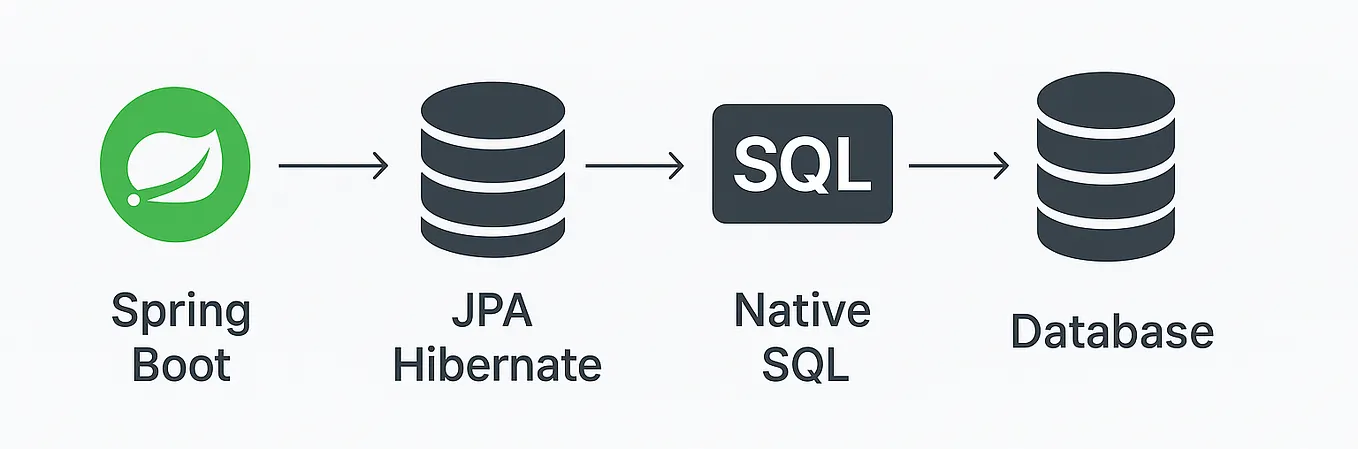
Let's return to the article to see how this is done.
Ultimate Guide: Custom Queries with Spring Data JPA's @Query ...
To execute a native SQL query, you use the same @Query annotation but with an additional attribute.
Read the section 'Defining a Custom Native Query'. Notice two key differences from JPQL: The nativeQuery = true attribute is set on the annotation. The query uses actual database table and column names (e.g., first_name) instead of entity and field names (firstName).
Here's an example. Assuming a products table with a stock_level column:
@Query(value = "SELECT * FROM products WHERE stock_level < :minStock", nativeQuery = true)
List<Product> findLowStockProducts(@Param("minStock") int minStock);
Modifying Data with @Modifying
@Query isn't limited to SELECT statements. You can also use it for UPDATE, DELETE, or INSERT operations, which is particularly efficient for bulk operations.
When you define a query that modifies the state of the database, you must add the @Modifying annotation. This tells Spring Data two things:
- The query doesn't return a
ResultSetof entities but anintrepresenting the number of affected rows. - The query needs to be executed within a proper transaction context that allows modification.
The article explains this clearly.
Ultimate Guide: Custom Queries with Spring Data JPA's @Query ...
Let's see how to perform bulk updates, a common use case for modifying queries.
Read the 'Modifying Queries' section. The essential point is the mandatory use of the @Modifying annotation alongside @Query for any non-SELECT operation.
For example, to discontinue all products in a certain category:
@Modifying
@Query("UPDATE Product p SET p.discontinued = true WHERE p.category = :category")
int discontinueProductsByCategory(@Param("category") String category);
Advanced Use Case: Solving the N+1 Problem
Now for a topic that directly relates to your system design background: performance optimization. The "N+1 selects" problem is a common performance pitfall when using ORMs. It occurs when you fetch a list of entities (1 query) and then lazily access a related entity for each of them, triggering N additional queries.
@Query provides an elegant solution using the JOIN FETCH clause in JPQL. This tells the JPA provider to retrieve the related entities in the same initial query.
The following video clip gives a concise and practical demonstration of this exact scenario.
Performance oriented Spring Data JPA & Hibernate by Maciej Walkowiak
The talk 'Performance oriented Spring Data JPA & Hibernate' by Maciej Walkowiak at Devoxx provides excellent insights. This segment focuses on using JOIN FETCH to solve the N+1 problem.
Watch from 35:22 to 36:47. The speaker identifies the N+1 problem from the logs and then refactors the repository method to include a custom @Query with JOIN FETCH. Notice how this changes the number of executed SQL queries from three to one.
This is a powerful demonstration of why having full control via @Query is essential for building high-performance, scalable applications.
Other Capabilities
It's worth noting that the flexible features we saw with derived queries also work with @Query:
- Pagination and Sorting: You can add
PageableandSortparameters to your@Query-annotated methods, and Spring Data will correctly apply pagination and ordering to your custom query. - Projections: You can design your query to return DTOs or interface projections directly, fetching only the data you need and avoiding the overhead of loading full entities.
These are more advanced topics, but it's good to know that the functionality is there when you need it.
Conclusion
In this lesson, you've gained a powerful tool for your data access layer. While derived queries are convenient, @Query provides the control and flexibility required for real-world application development.
Key Takeaways:
- Use
@Queryfor complex queries, performance tuning, or when derived method names become unreadable. - Write database-agnostic queries with JPQL, which operates on entities and fields.
- Use native queries (
nativeQuery = true) for database-specific features, at the cost of portability. - Always prefer named parameters (
:name) with@Paramover positional parameters (?1) for readable and maintainable code. - Use the
@Modifyingannotation in combination with@QueryforUPDATE,DELETE, orINSERToperations. @Queryis a key tool for performance optimizations, such as solving the N+1 problem withJOIN FETCH.
Now that we've covered the essentials of data persistence with Spring Data JPA, we're going to zoom back out and look at a fundamental concept of the Spring Framework itself.
In the next lesson, we will explore the Spring bean lifecycle. You'll learn how Spring creates, configures, and destroys the objects (beans) that form the backbone of your application. This is crucial for understanding how the Spring IoC container manages your application components.