Introduction
In the previous lessons, you successfully engineered a complete, end-to-end AI Lead Intelligence Engine. It ingests a lead, calculates a multi-factor score, enriches the data with external APIs, applies dynamic tags, and generates a polished, human-readable report. From a functional standpoint, the system works.
However, from an architectural standpoint, it's a monolith. A single, large workflow is difficult to debug, a nightmare to maintain, and impossible to reuse components from. A change in the scoring logic risks breaking the reporting section. This is not how production systems are built.
Today, your objective is to apply a modular architecture with sub-workflows for scoring, enrichment, and reporting. You will refactor the existing engine, deconstructing it into a lean orchestrator and a set of specialized, reusable modules. This is a non-negotiable skill that separates an intermediate automator from a professional systems engineer.
1. The Mindset: From "It Works" to "It's Maintainable"
Before we implement, let's align on the architectural philosophy. Building a monolithic workflow is common for beginners because the focus is on immediate execution. A professional engineer, however, designs for change, maintenance, and scale.
To understand this distinction, take a few minutes to read the introduction of the following article. It crisply outlines the thinking that separates a novice from an experienced developer in the context of workflow automation.
Modularizing n8n Workflows - Build Smarter Workflows
The article 'Modularizing n8n Workflows' by Himanshu Sharma at OptimizeSmart frames the 'why' behind modularization. It contrasts the rookie's focus on just making things work with the expert's focus on long-term maintainability.
Read the introductory sections, from the beginning down to (and including) the subsection 'New developers haven’t learned to separate business logic from orchestration.' Focus on the principles of designing for change and separating concerns.
As the article points out, the core principle is the separation of concerns. Your main workflow should be an orchestrator, directing the flow of data. The complex business logic (scoring, enrichment, etc.) should be delegated to specialized sub-workflows.
2. The Mechanics: How Sub-Workflows Operate in n8n
In n8n, modular architecture is implemented using the Execute Workflow node. This node calls another workflow, passes data to it, and receives data back.
To understand the core mechanics, watch the following official n8n video. It provides a clear, practical demonstration.
n8n Advanced Course (4/8) - Subworkflows
The 'n8n Advanced Course (4/8) - Subworkflows' video from the official n8n channel explains the fundamental operation of the 'Execute Workflow' node and the associated data flow.
Watch from the beginning until 06:45. Pay close attention to these three critical points: Data Input: How the sub-workflow receives data from the parent workflow. Data Output: The fact that the output of the final node in the sub-workflow is what gets returned to the parent. Data Contract: The importance of standardizing the data structure (key names) passed between workflows.
Key Principles for Sub-Workflow Design
Based on the video and industry best practices, here are the non-negotiable rules for building a modular system:
- Single Responsibility: Each sub-workflow must do one thing and do it well. For example,
Sub - Lead Scoringonly calculates a score. - Defined Data Contract: The interface between the parent and child must be explicit. The parent provides specific inputs, and the child returns a predictable output.
- Statelessness: A sub-workflow should not rely on any information other than what it receives as input. It processes the data and returns a result without retaining any memory of past executions.
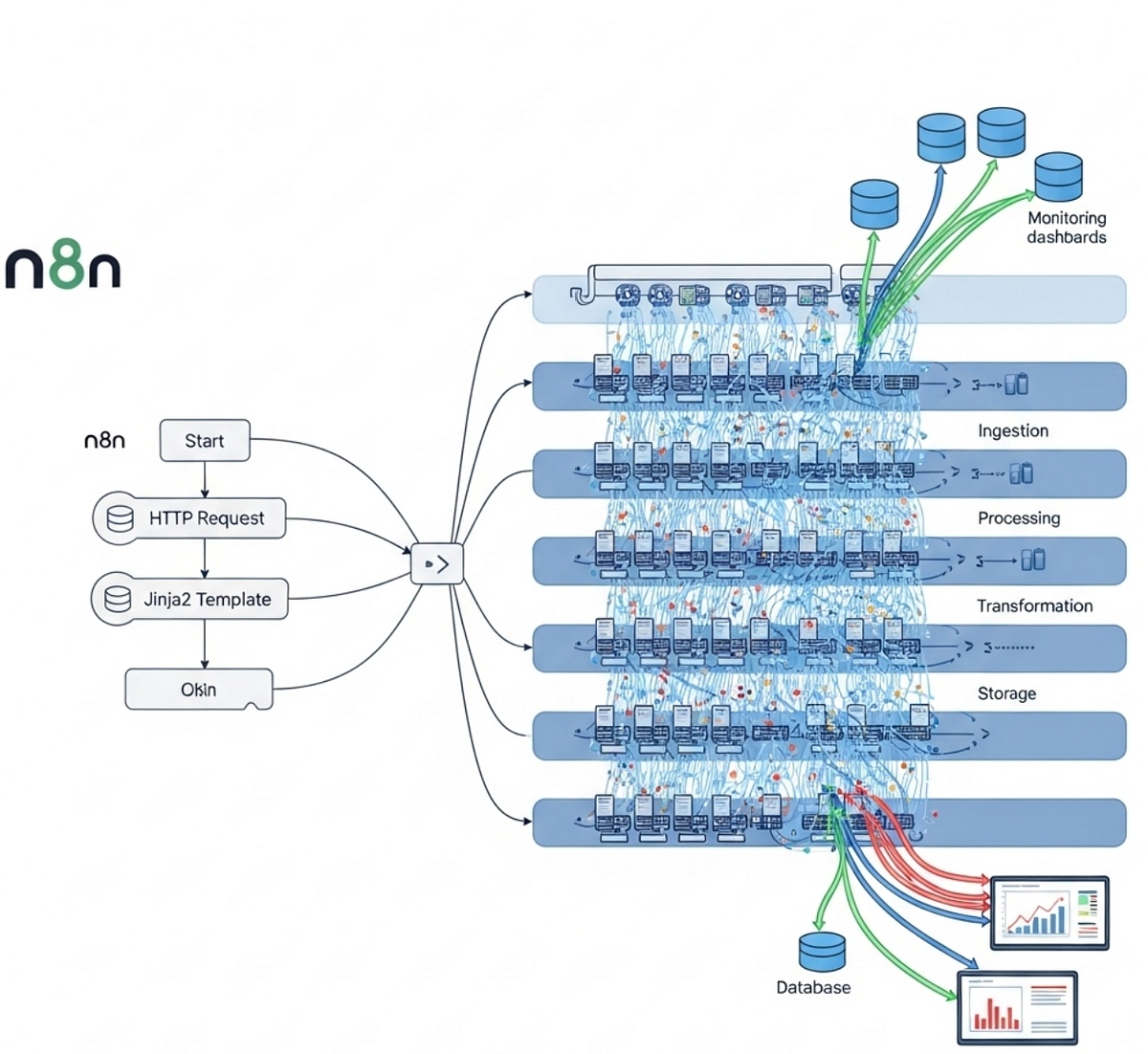
The following image shows a high-level view of a complex modular system. While our system is simpler, the principle of distinct, interconnected processing layers is the same.
3. Practical Task: Refactoring the AI Lead Intelligence Engine
Your task is to deconstruct your monolithic P1 - AI Lead Intelligence Engine workflow. You will create a lean main workflow that orchestrates calls to three new, specialized sub-workflows.
Step 1: Architect the New System
First, lay out the new architecture. Do not skip this step.
-
Main Workflow:
P1 - AI Lead Intelligence Engine- Trigger: Webhook for new lead.
- Orchestration:
- Initial data validation (if any).
- Call
Sub - Lead Scoring. - Call
Sub - Lead Enrichment. - Apply dynamic tags (this logic is simple enough to remain here).
- Call
Sub - Report Generation. - Deliver the final report (e.g., send email).
- Log results to Google Sheets.
-
Sub-Workflows (Create three new workflows):
Sub - Lead Scoring:- Input: Raw lead data.
- Logic: Contains all nodes related to BANT scoring.
- Output: Returns the original input data plus the
finalScoreandscoreBreakdownfields.
Sub - Lead Enrichment:- Input: Raw lead data (specifically email or company domain).
- Logic: Contains all API calls for data enrichment.
- Output: Returns the original input data plus all new enriched fields (e.g.,
companyName,industry,employeeRange).
Sub - Report Generation:- Input: The fully processed lead data (original, scored, enriched, tagged).
- Logic: Contains the
OpenAInode for summaries and theCodenode for Markdown assembly. - Output: Returns the original input data plus the final
markdownReportfield.
Step 2: Build the Sub-Workflows
-
Create three new, blank workflows. Name them
Sub - Lead Scoring,Sub - Lead Enrichment, andSub - Report Generation. -
In your original monolithic workflow, select, copy (
Ctrl+C), and paste (Ctrl+V) the relevant groups of nodes into their corresponding new sub-workflows.- The trigger for each sub-workflow will be the default
Startnode. It automatically receives data when called by anExecute Workflownode.
- The trigger for each sub-workflow will be the default
-
Crucially, manage the data pass-through. The
Execute Workflownode's output replaces its input. Therefore, each sub-workflow must return both its results and the original data it received.- At the end of each sub-workflow, add a
Setnode namedPrepare Output. - Configure this
Setnode to merge the newly generated data with the original input. You can do this by setting a property for each new field, using expressions to pull from the previous nodes. For the existing data, you can use an expression like{{ $('Start').item.json }}to retrieve the full original input and merge it. A more robust way is to ensure each node in the sub-workflow passes along the data from the previous step. The final node should have everything. You may need a finalSetorCodenode to ensure the output is clean and contains all necessary fields from the start of the main workflow.
Example
Setnode configuration forSub - Lead Scoring:finalScore:{{ $json.finalScore }}scoreBreakdown:{{ $json.scoreBreakdown }}originalLeadData:{{ $('Start').item.json }}- Then, you might need to merge
originalLeadDatawith the new fields in a subsequent step to create a single JSON object. ACodenode is often cleanest for this:const originalData = $input.item.json.originalLeadData; const newData = { finalScore: $input.item.json.finalScore, scoreBreakdown: $input.item.json.scoreBreakdown }; // Merge original data with the new scoring data const finalOutput = { ...originalData, ...newData }; return finalOutput;
This ensures that when
Sub - Lead Scoringfinishes, the main workflow has access to both the new score and the initial lead data for the next step. - At the end of each sub-workflow, add a
Step 3: Reconfigure the Main Orchestrator
- Return to your main
P1 - AI Lead Intelligence Engineworkflow. - Delete the groups of nodes that you moved to sub-workflows.
- In their place, add
Execute Workflownodes. - For each
Execute Workflownode:- In the
Workflowparameter, select the appropriate sub-workflow from the list. - Leave
SourceasDefault, which passes the data from the connected node.
- In the
- Connect the nodes in the correct sequence:
Webhook->Execute Workflow (Scoring)->Execute Workflow (Enrichment)->Tagging Logic->Execute Workflow (Reporting)->Delivery Node. - Test the entire chain. The final output should be identical to what your monolithic workflow produced.
For further reading on modular design patterns and principles, refer to this excellent article.
n8n Workflow Design Patterns: Error Handling & Production Setup ...
The article 'n8n Workflow Design Patterns' provides a detailed breakdown of modular design, including reusable logic patterns and essential design principles.
Read the sections on 'Modular Workflow Design', 'Execute Workflow Node Patterns', 'Sub-Workflow Design Principles', and 'When to Modularize vs Keep Monolithic'. This will solidify your understanding of the task you just completed.
4. Advanced Consideration: Parallel Processing
Your current refactored design is sequential. The enrichment process waits for the scoring process to complete.
As a systems architect, you should always ask: Can this be optimized?
In this case, both the scoring and enrichment sub-workflows depend only on the initial lead data, not on each other. They could theoretically run in parallel to reduce total execution time. This is another powerful advantage of modular design.
Use Parallelization to Make n8n Workflows Faster & Scalable
The video 'Use Parallelization to Make n8n Workflows Faster & Scalable' by Nate Herk demonstrates how to execute sub-workflows in parallel for performance gains.
Watch the sections on 'Why and when to break them up into subworkflows' (07:16 - 09:03) and the final example (09:03 - 10:33). This covers not just parallelization but also other critical reasons for modularity like reusability and managing complexity.
You are not required to implement parallel execution for this lesson, but you must understand that it is a strategic option that your new modular architecture enables.
Conclusion
You have now refactored a working but brittle system into a professional, production-ready architecture. Your main workflow is a clean, readable orchestrator, and your core business logic is encapsulated in maintainable, reusable, and independently testable modules.
Key Takeaways:
- Monoliths are for prototypes; modules are for production.
- The goal of modularity is maintainability, reusability, and testability.
- The
Execute Workflownode is the primary tool for modular design in n8n. - Data contracts are critical. You must strictly manage the data passed into and out of sub-workflows to prevent data loss along the chain.
- Separating concerns allows for more advanced optimizations, like parallel processing.
Your system is now far more resilient and easier to manage. In the next lesson, we will leverage this new architecture to implement another critical production feature: a dead-letter queue to gracefully handle leads that fail during the data enrichment process.