Introduction
In our last lesson, we explored the crucial concept of variable scope, distinguishing between local variables that exist only within a function and global variables accessible throughout your program. This understanding of how data is organized is a key step toward writing clean, bug-free code.
Now, we're going to expand your programming toolkit significantly. While you've learned to write your own custom functions, you don't have to build everything from scratch. MQL5 comes with a vast, powerful library of built-in functions designed for common trading-related tasks. This lesson focuses on how to call these functions to perform calculations, retrieve account details, and access market information. Mastering this will dramatically speed up your development process, letting you focus more on trading logic and less on foundational coding.
The Power of Pre-built Tools
Think of the custom functions you wrote as tools you crafted yourself. Built-in functions are like a professional, ready-made toolkit provided by the MQL5 language. They are optimized, reliable, and cover a huge range of functionalities.
Understanding functions in MQL5 with applications - MQL5 Articles
This article provides a clear distinction between the functions you create and those that are already part of the language.
Read the introductory section titled "Function definition". Focus on the difference explained between a built-in function and a user-defined function. This will solidify the concept that you're now learning to use the language's own library.
Using these functions follows the same principle as calling your own: you use the function's name and provide the required inputs (arguments) in parentheses. The function then performs its task and, in most cases, returns a result.
A Quick Visual: Displaying Data on Your Chart
Let's start with a simple, visual example. You've used the Print() function to send text to the "Experts" journal. MQL5 also has a Comment() function that displays information directly on the top-left corner of your chart. This is great for real-time feedback.
We can combine Comment() with another built-in function, TimeCurrent(), which returns the current time of the server.
LEARN MQL5 TUTORIAL BASICS - 2 WHAT ARE FUNCTIONS
This short video demonstrates exactly how to use the Comment() function and combine it with another built-in function to display live data.
First, watch from the introduction to the Comment() function. Then, see how it's combined with the TimeLocal() function from this segment to show the time on the chart. (TimeCurrent() and TimeLocal() are very similar; we'll stick to TimeCurrent() as it's more common in bot logic).
Try it yourself. Create a new script and put this in your OnStart() function:
void OnStart()
{
  // Call the TimeCurrent() function to get the server time
  datetime serverTime = TimeCurrent();

  // Call the Comment() function to display the time on the chart
  Comment("Current server time is: ", serverTime);
}
When you run this script, you'll see the message appear directly on your chart. Here, TimeCurrent() is called, it returns a value (the time), and that value is then passed as an argument to Comment().
Accessing Essential Trading Information
For any trading bot, you'll constantly need to know two things: the state of your account and the current state of the market. MQL5 provides dedicated functions for this.
1. Account Information: AccountInfoDouble()
This function retrieves numerical data about your trading account, like your balance or equity. You tell it what piece of information you want by providing a specific identifier.
For example, to get your account equity, you would write:double equity = AccountInfoDouble(ACCOUNT_EQUITY);
The ACCOUNT_EQUITY part is a built-in MQL5 constant that specifies you want the account equity.
2. Symbol Information: SymbolInfoDouble()
This function is your gateway to market data for a specific symbol. You can get the current bid price, ask price, point size, and much more. It typically requires two arguments: the symbol you're interested in and an identifier for the data you want.
For the symbol, you can use the handy predefined variable _Symbol, which automatically refers to the symbol of the chart your EA is running on.
For example, to get the current ask price:double askPrice = SymbolInfoDouble(_Symbol, SYMBOL_ASK);
The video below demonstrates how to use SymbolInfoDouble() in a practical context.
MQL5 Programming Tutorial 1.04 - Core Building Blocks Part 1 - Variables and Comments
This segment walks through using SymbolInfoDouble() to fetch the bid and ask prices, explaining the parameters required.
Watch from this section. The presenter explains how to use SymbolInfoDouble() and introduces the predefined _Symbol variable. Pay attention to how he uses the MQL5 documentation (by pressing F1) to look up the different properties you can retrieve, like SYMBOL_BID and SYMBOL_ASK. This is a crucial skill for discovering what's available.
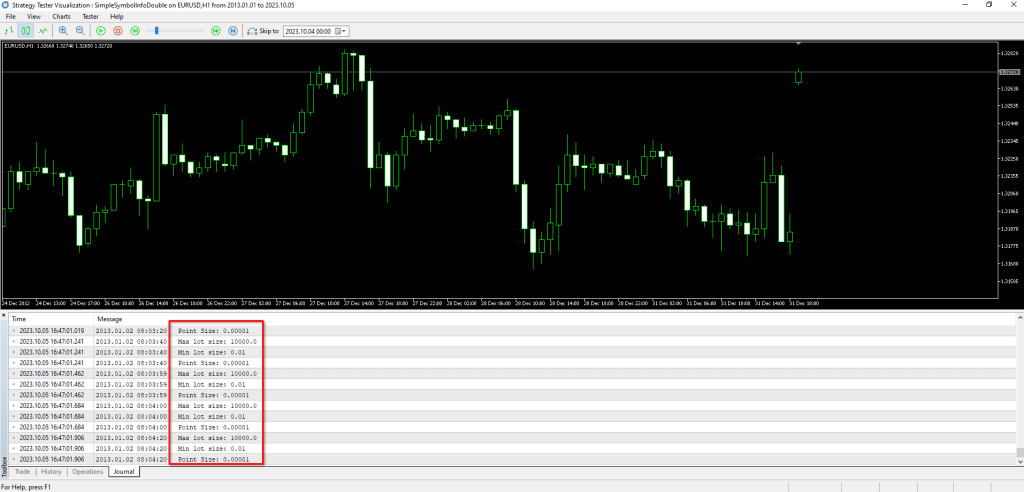
Let's put this into a script. This code will fetch your account balance and the current bid/ask prices and print them.
void OnStart()
{
  // Get Account Information
  double balance = AccountInfoDouble(ACCOUNT_BALANCE);
  double equity = AccountInfoDouble(ACCOUNT_EQUITY);

  Print("Account Balance: ", balance);
  Print("Account Equity: ", equity);

  // Get Symbol Information
  double bid_price = SymbolInfoDouble(_Symbol, SYMBOL_BID);
  double ask_price = SymbolInfoDouble(_Symbol, SYMBOL_ASK);

  Print("Current Bid for ", _Symbol, ": ", bid_price);
  Print("Current Ask for ", _Symbol, ": ", ask_price);
}
Running this script gives you a snapshot of your account and the market, all retrieved using just a few simple function calls.
Performing Common Calculations
MQL5 also includes a library of mathematical functions that can simplify your calculations.
Rounding Functions: MathRound, MathFloor, MathCeil
These functions are used to round numbers to the nearest integer.
MathRound(x): Roundsxto the nearest whole number (e.g., 5.6 becomes 6.0, 5.4 becomes 5.0).MathFloor(x): Always roundsxdown to the nearest whole number (e.g., 5.9 becomes 5.0).MathCeil(x): Always roundsxup to the nearest whole number (e.g., 5.1 becomes 6.0).
Rounding functions - Common APIs - MQL5 Programming for Traders
The official MQL5 documentation provides a concise explanation of these essential math functions.
Read the short sections on MathRound, MathCeil and MathFloor. The examples clearly show how each function behaves with both positive and negative numbers.
Normalizing for Trading: NormalizeDouble()
While standard rounding is useful, for financial calculations like prices and lot sizes, you need to be more precise. Brokers have strict rules about the number of decimal places for prices and lot size steps. The NormalizeDouble() function is the correct tool for this job.
It takes two arguments: the number you want to normalize and the number of digits you want after the decimal point.
For example, if your lot size calculation results in 0.12834 but your broker only allows two decimal places for lots, you must normalize it.
double normalizedLots = NormalizeDouble(0.12834, 2); // Result will be 0.13
This function is mentioned in the "Lotsize calc App" example within the "Understanding functions" article you looked at earlier. It's essential for preparing values before sending them in a trade request.
Practice: Build a Simple Spread Calculator
Let's combine what you've learned to build a small, practical tool: a script that calculates and displays the current spread in points. The spread is the difference between the ask and bid prices.
- Get Ask and Bid: Use
SymbolInfoDouble()to get theSYMBOL_ASKandSYMBOL_BID. - Calculate the Difference: Subtract the bid from the ask. The result will be a very small number (e.g.,
0.00006for EURUSD). - Convert to Points: This small decimal isn't very readable. Traders think in "points". A "point" is the smallest possible price change. We can get this value from the predefined variable
_Point. To convert the price difference into points, you divide it by_Point.
double spreadInPoints = (ask - bid) / _Point; - Display the Result: Use
Comment()to show the spread on the chart.
Here is the complete script. Create a new script in MetaEditor, paste this code, compile it, and run it on a chart.
void OnStart()
{
  // 1. Get Ask and Bid prices
  double ask = SymbolInfoDouble(_Symbol, SYMBOL_ASK);
  double bid = SymbolInfoDouble(_Symbol, SYMBOL_BID);

  // 2. Calculate the difference
  double spreadInPrice = ask - bid;

  // 3. Get the point size and convert to points
  double point = _Point;
  double spreadInPoints = NormalizeDouble(spreadInPrice / point, 1); // Normalize to 1 decimal place

  // 4. Display the result
  Comment("Current Spread for ", _Symbol, ": ", spreadInPoints, " points");
}
This simple script powerfully demonstrates how you can chain together calls to built-in functions and variables (SymbolInfoDouble, _Symbol, _Point, NormalizeDouble, Comment) to create a useful trading utility in just a few lines of code.
Conclusion
You've now added one of the most powerful concepts in programming to your skillset: using a language's built-in function library. This allows you to stand on the shoulders of the language developers and incorporate complex functionality into your bots with minimal effort.
Key Takeaways:
- MQL5 provides a huge library of built-in functions for math, account information, and market data.
- Functions like
AccountInfoDouble()andSymbolInfoDouble()are essential for getting the data your bot needs to make decisions. - For financial calculations, use
NormalizeDouble()to ensure your values match your broker's requirements. - The
Comment()function is a great way to display real-time information directly on your chart for quick feedback. - Remember to use the MQL5 Reference (highlight a function name and press F1) to explore and understand what functions are available to you.
In this lesson, we worked with functions that return a single value, like one price or one number. However, what if you need a whole series of data, like the last 100 closing prices? For that, MQL5 uses a special data structure. In our next lesson, we will begin exploring how to work with collections of data by learning about arrays.